
OPENAI · 画像モデルガイド
GPT Image 2.5
アイデアを残して、細部を磨く。
OpenAIの最新画像モデルは、参考画像の忠実な再現と精密な編集に重点を置いています。次の制作にFlareとSunburstをどう活かせるかを見ていきましょう。
2つのバージョンを比較公式発表 · 2026年9月8日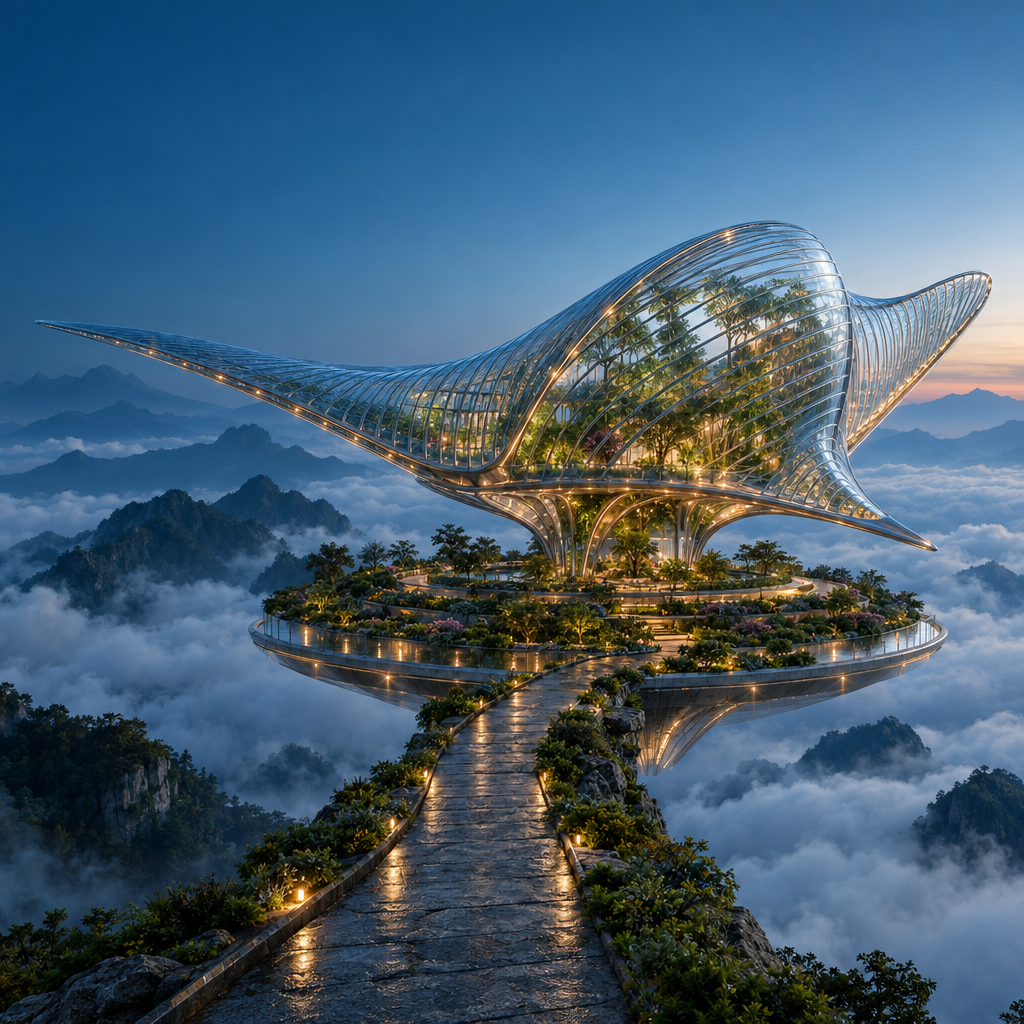
実際の生成プロンプト
Create a spectacular cinematic architectural photograph of an imaginary floating botanical observatory at blue hour. A single enormous manta-ray-shaped pavilion made from clear ribbed glass and slender polished titanium floats above a circular terraced garden in a sea of clouds. The glass fins curve gracefully, with botanicals visible inside and small warm amber lights following the structural ribs. A narrow stone causeway approaches from the lower foreground; layered mountain silhouettes recede into mist. Precise architectural geometry, believable glass refraction, damp stone microtexture, atmospheric depth and carefully restrained teal-and-amber color grading. Low three-quarter wide-angle view, one unmistakable focal point, ambitious editorial art direction, grand scale, crisp but natural detail. Keep the upper-left corner visually quiet for potential website text. Square composition. No people, no text, no logos, no collage, no split screen, no visible watermark.
このページはモデルガイドです。RuxaでのGPT Image 2.5の生成機能と料金は未確認です。スタジオのボタンから、現在選べるモデルを確認できます。
プロンプトから生まれた作品を見る
GPT Image 2.5を使い、1024 × 1024、品質Highで生成したオリジナル画像です。画像全体と実際に使ったプロンプトをご覧ください。
同じ指示から、2つの表現。
FlareとSunburstに同じポスターのプロンプト、解像度、品質設定を与えました。文字、余白、ガラスの反射を比較できます。各1回の出力による違いの紹介であり、総合的な順位付けではありません。
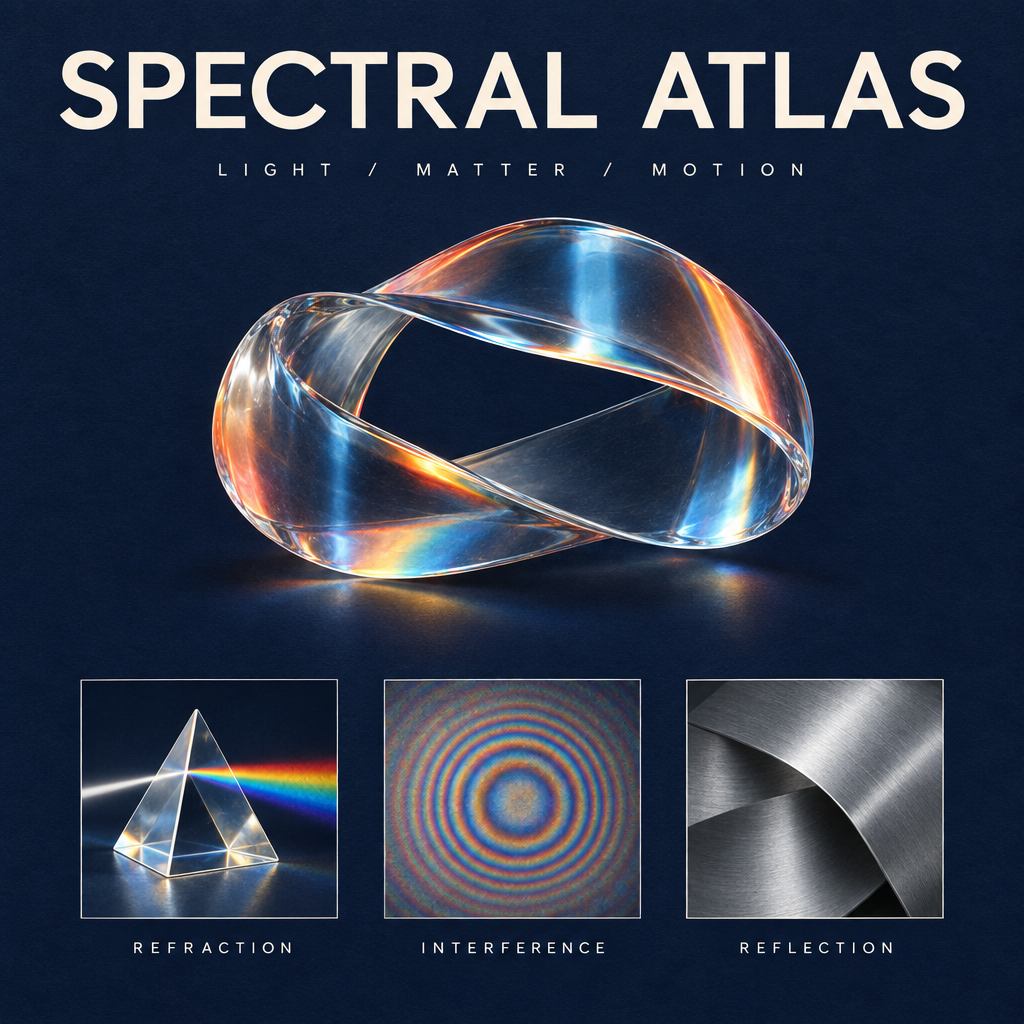
GPT Image 2.5を使用して生成 · 1K · High
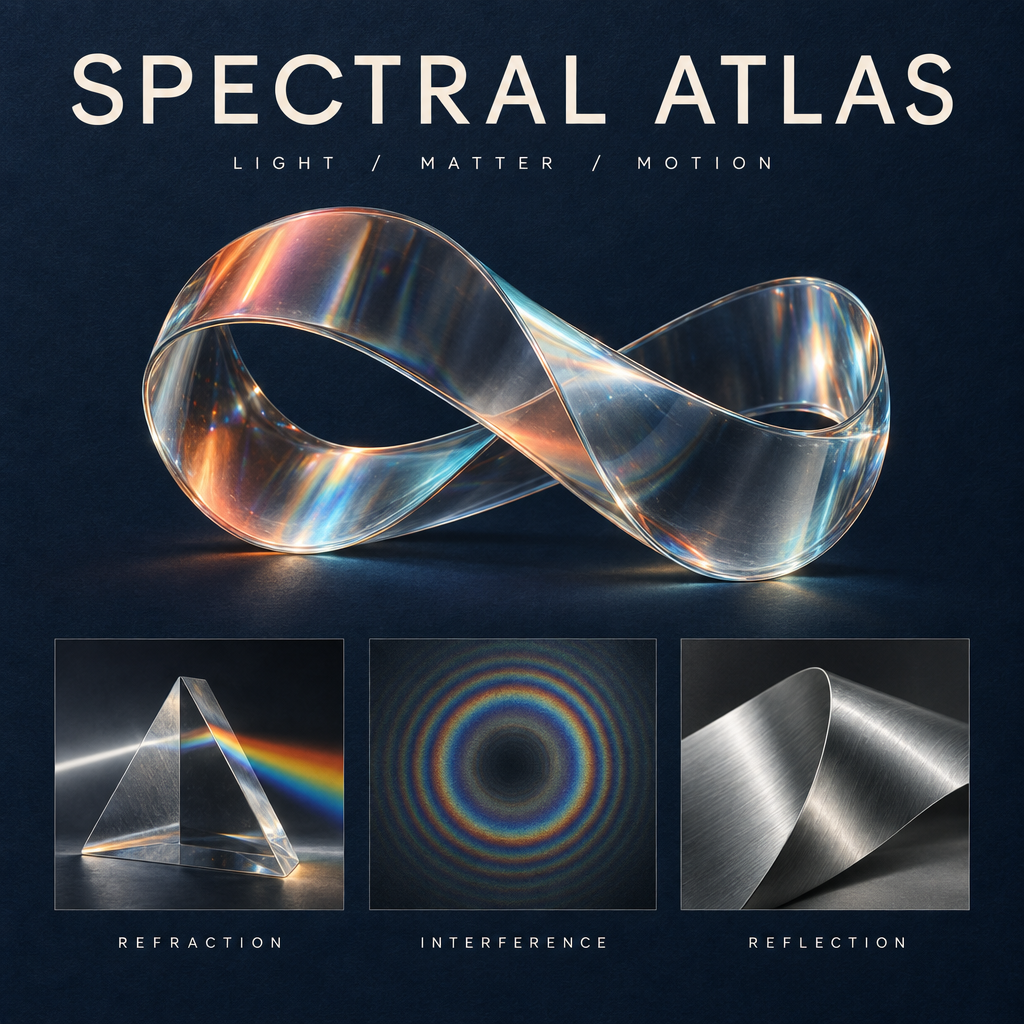
GPT Image 2.5を使用して生成 · 1K · High
実際の生成プロンプト
同じ指示を再利用できるよう、実際に使用した英語のプロンプトをそのまま掲載しています。
Design a collectible square museum exhibition poster titled SPECTRAL ATLAS. Deep ink-blue uncoated paper background with a very subtle tactile grain. At the top, set exactly SPECTRAL ATLAS in large ivory elegant modern grotesk letters with precise kerning; beneath it, exactly LIGHT / MATTER / MOTION in small widely spaced type. The central artwork is a luminous physically plausible glass ribbon folded into one continuous sculptural loop, refracting a restrained spectrum of coral, amber and icy cyan. Below the sculpture, place a perfectly aligned row of three small specimen panels: a detailed glass prism labeled REFRACTION, a fine concentric interference pattern labeled INTERFERENCE, and a brushed aluminium folded surface labeled REFLECTION. These three labels must be spelled exactly and clearly readable. Editorial Swiss-grid composition, generous margins, sharply resolved typography, sophisticated material rendering, subtle shadows and physically coherent highlights, premium contemporary science-museum identity. Only the five specified text strings and main title; no extra copy, no logos, no dates, no QR codes, no watermark. The image should feel like an art-directed design object, not a generic technology infographic.
見出しを変えて、デザインは残す。
Sunburstのポスターを元画像にして、見出しだけを中国語の「光谱图鉴」に変更するよう指示しました。彫刻、英語ラベル、レイアウトを比較し、保持された細部を確認してください。
GPT Image 2.5を使用して生成 · 1K · High
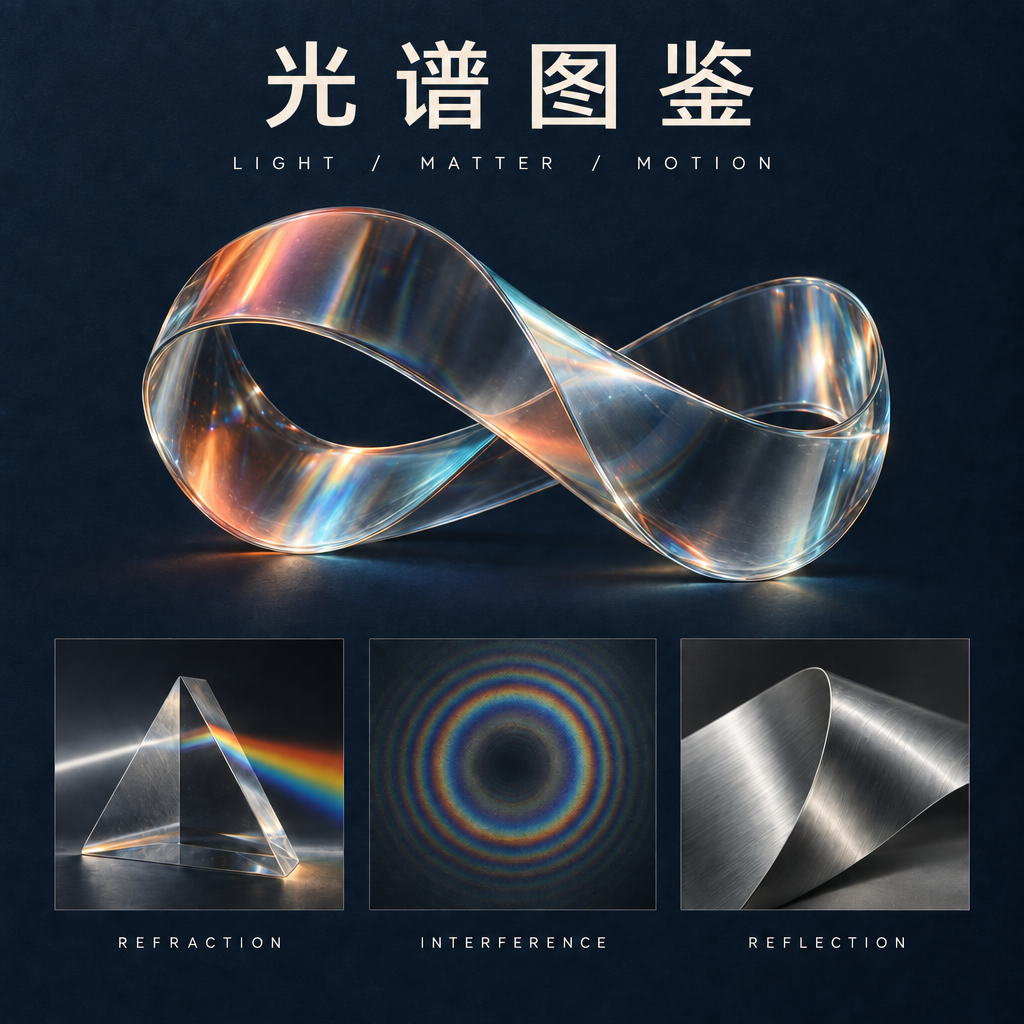
GPT Image 2.5を使用して生成 · 1K · High
実際の生成プロンプト
上の元画像を編集用の参考画像として使えます。 同じ指示を再利用できるよう、実際に使用した英語のプロンプトをそのまま掲載しています。
Make exactly one typography edit to this poster. Replace only the main headline SPECTRAL ATLAS with the four Chinese characters 光谱图鉴. Use clean, correctly formed Chinese characters with a refined modern typographic weight matching the original headline. Keep the headline in the same top title area and preserve optical balance. Do not change the subtitle LIGHT / MATTER / MOTION, the three English panel labels REFRACTION, INTERFERENCE, REFLECTION, the glass sculpture, its colors, highlights, specimen panels, paper texture, margins, or composition. Do not introduce any extra text or decoration. Preserve the square 1024 by 1024 layout.
GPT Image 2.5 FlareとSunburst、どちらを選ぶ?
OpenAIは2つのAPIバージョンを発表しました。制作の進め方に合う候補を選び、自分の参考画像で試してみましょう。
すばやく試す
GPT Image 2.5 Flare
Flareは高速な生成と日々の試行錯誤を想定したバージョンです。複数の表現を探るときの候補になります。
細部を仕上げる
GPT Image 2.5 Sunburst
Sunburstは細かな制作や編集を想定しており、生成にはより長い時間がかかります。小さな変更が仕上がりの構図を左右する場合の候補です。
GPT Image 2.5の新しい点は?
参考画像への忠実度
OpenAIは、参考画像の被写体をより忠実に保持できると説明しています。自分で試す際は、輪郭、特徴的な細部、光を元画像と比べてください。
狙った部分の編集
今回の発表では、周囲の細部を保ちながら指定した要素を変える点が強調されています。隣の物を動かさず、1つの物だけ置き換えてみると確認しやすくなります。
編集を重ねても一貫性を保つ
複数回にわたる画像編集も今回の重点です。指示は具体的にし、各段階を直前の結果だけでなく元画像とも比較しましょう。
3つの編集を、最初から最後まで
GPT Image 2.5 Sunburstの実際の編集結果を元画像と比べられます。使用したプロンプトから、変える内容と残す細部をどう分けて指示したかが分かります。
同じキャラクターを、新しい世界へ
銀髪で琥珀色のジャケットを着たキャラクターが、天文台から浮遊する植物ステーションへ移ります。顔、ポーズ、服を元画像と比較してください。
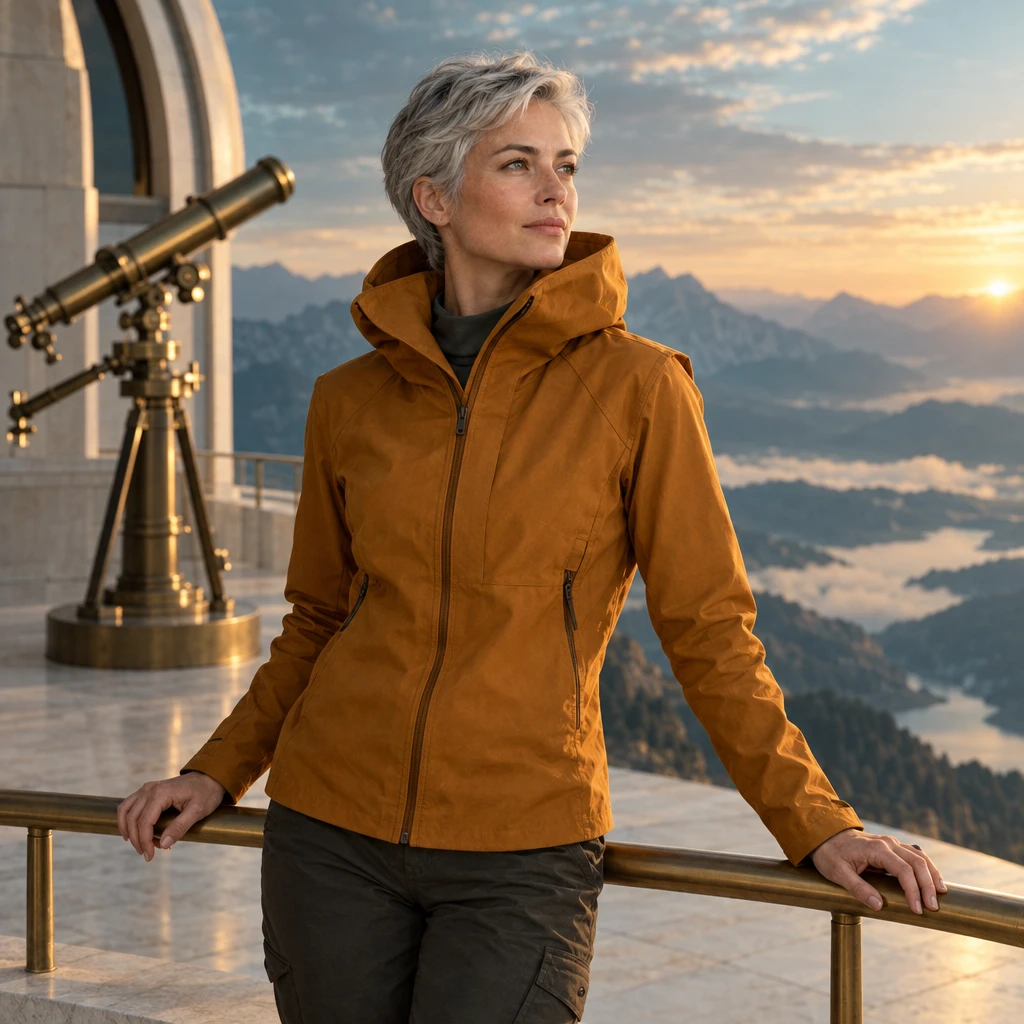
元画像
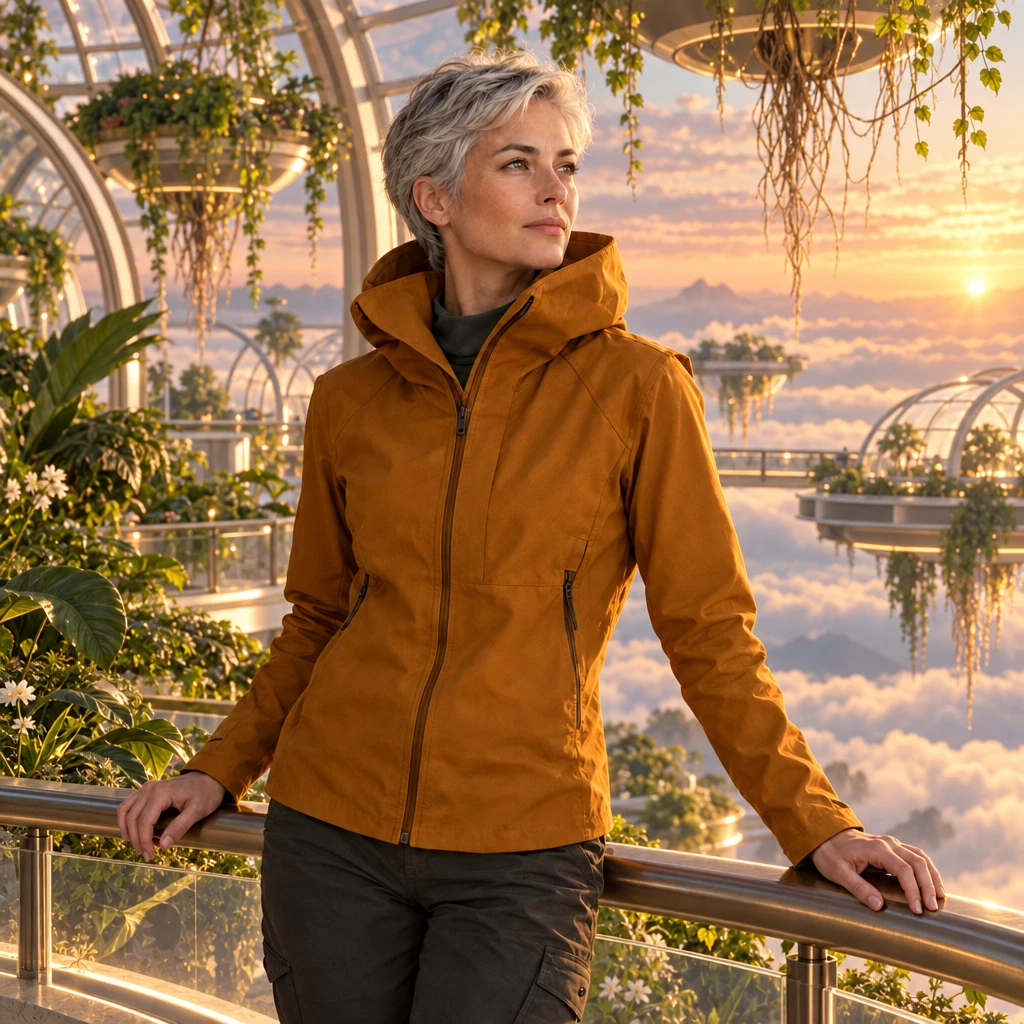
GPT Image 2.5を使用して生成 · 1K · High
実際の編集プロンプト
Use my uploaded character as the visual anchor. Preserve the face, short silver hair, amber jacket, body proportions and three-quarter pose. Place the character on a floating botanical station above a cloud sea at dawn. Add translucent greenhouse arches, suspended roots and soft peach light. Maintain a coherent contact shadow. No additional people, logos or text.
素材だけを変える
折り紙の鯉が、釉薬を施した青磁に変わります。輪郭、折り目、台座、光を元画像と比較してください。
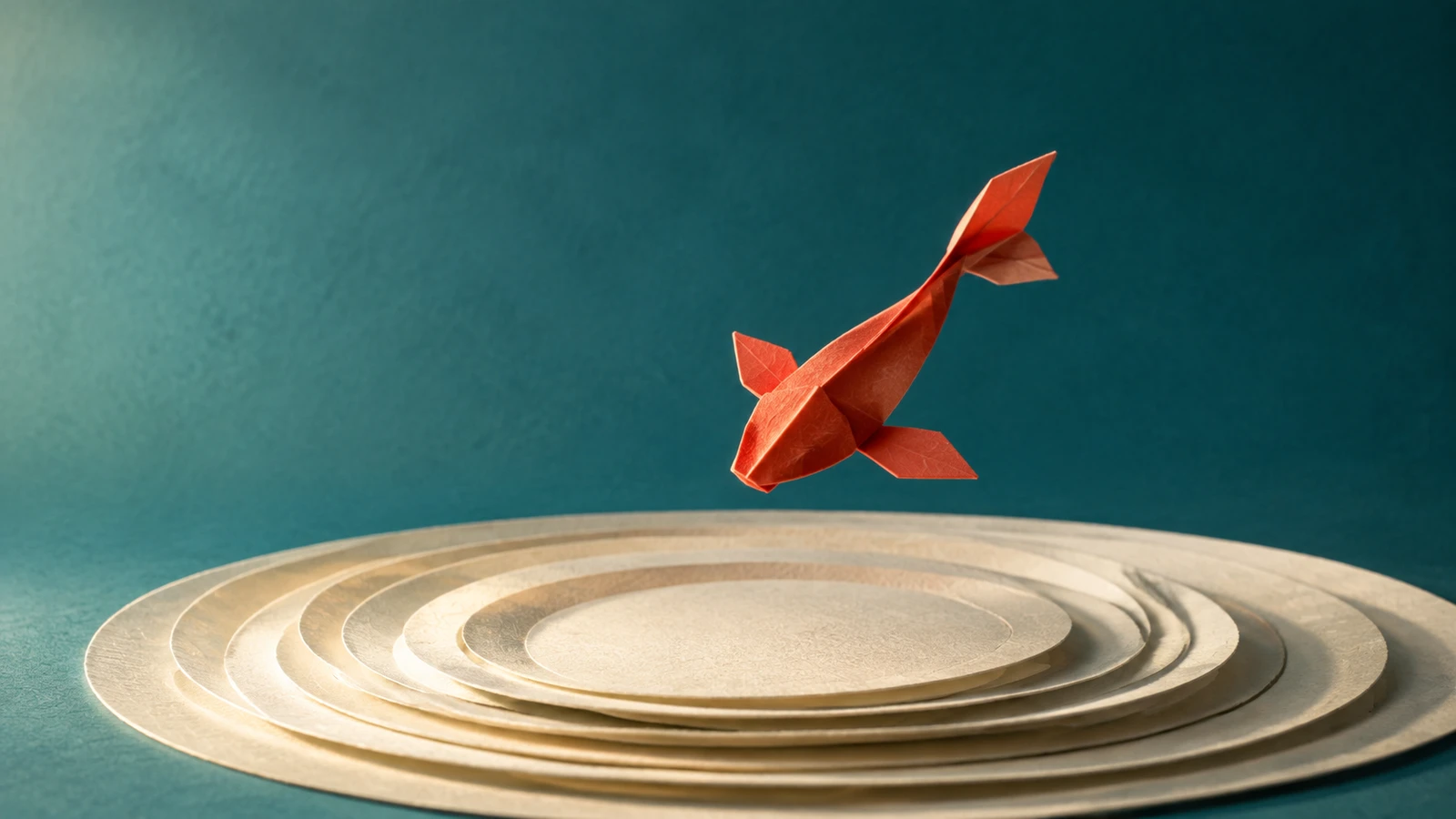
元画像
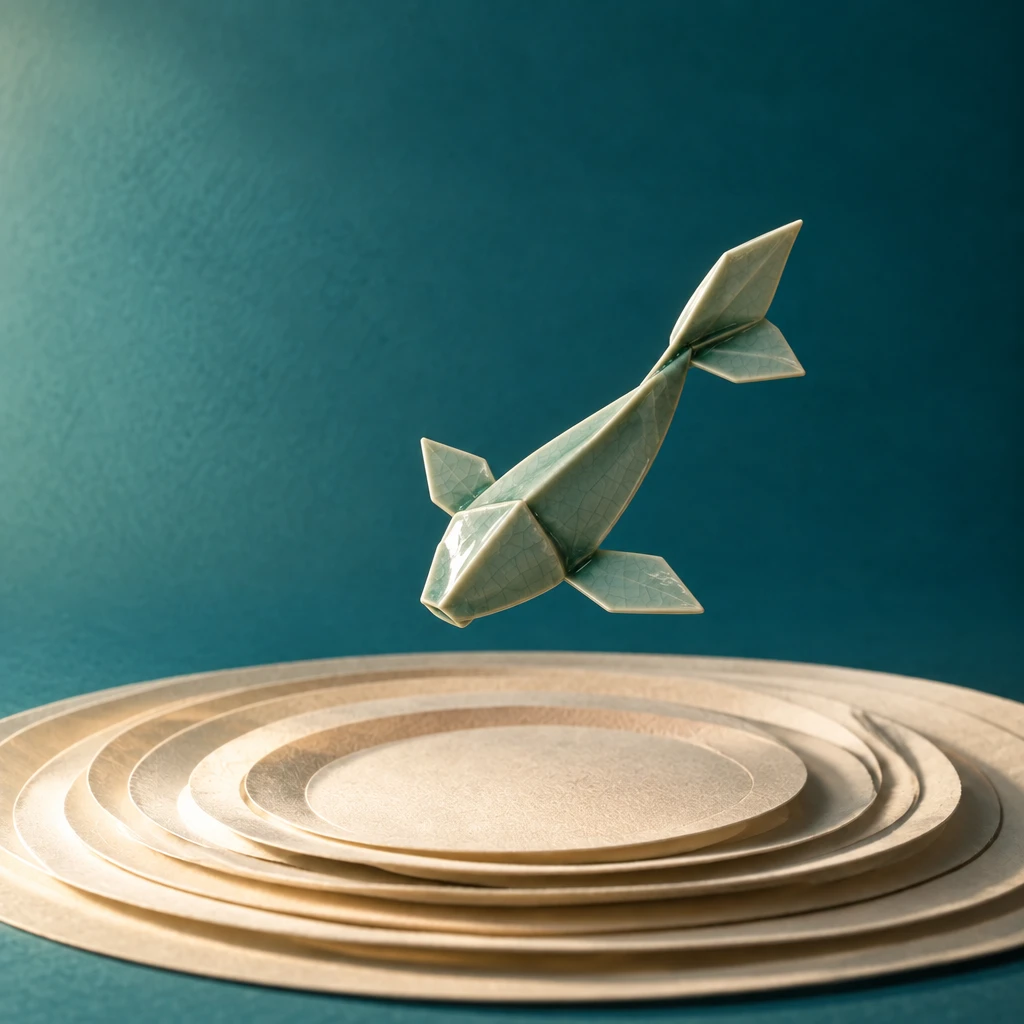
GPT Image 2.5を使用して生成 · 1K · High
実際の編集プロンプト
Edit only the material of the sculpture in my reference: transform folded paper into hand-glazed celadon ceramic. Preserve the exact outer silhouette, orientation, placement and camera angle. Add subtle glaze pooling around folds and a soft ceramic sheen. Keep the original backdrop, pedestal and lighting direction. Do not add objects or redesign the sculpture.
意図からぶれないポスター編集
見出しがTIDAL FUTURESに変わります。文字、間隔、変更していないイラストを元のポスターと比較してください。
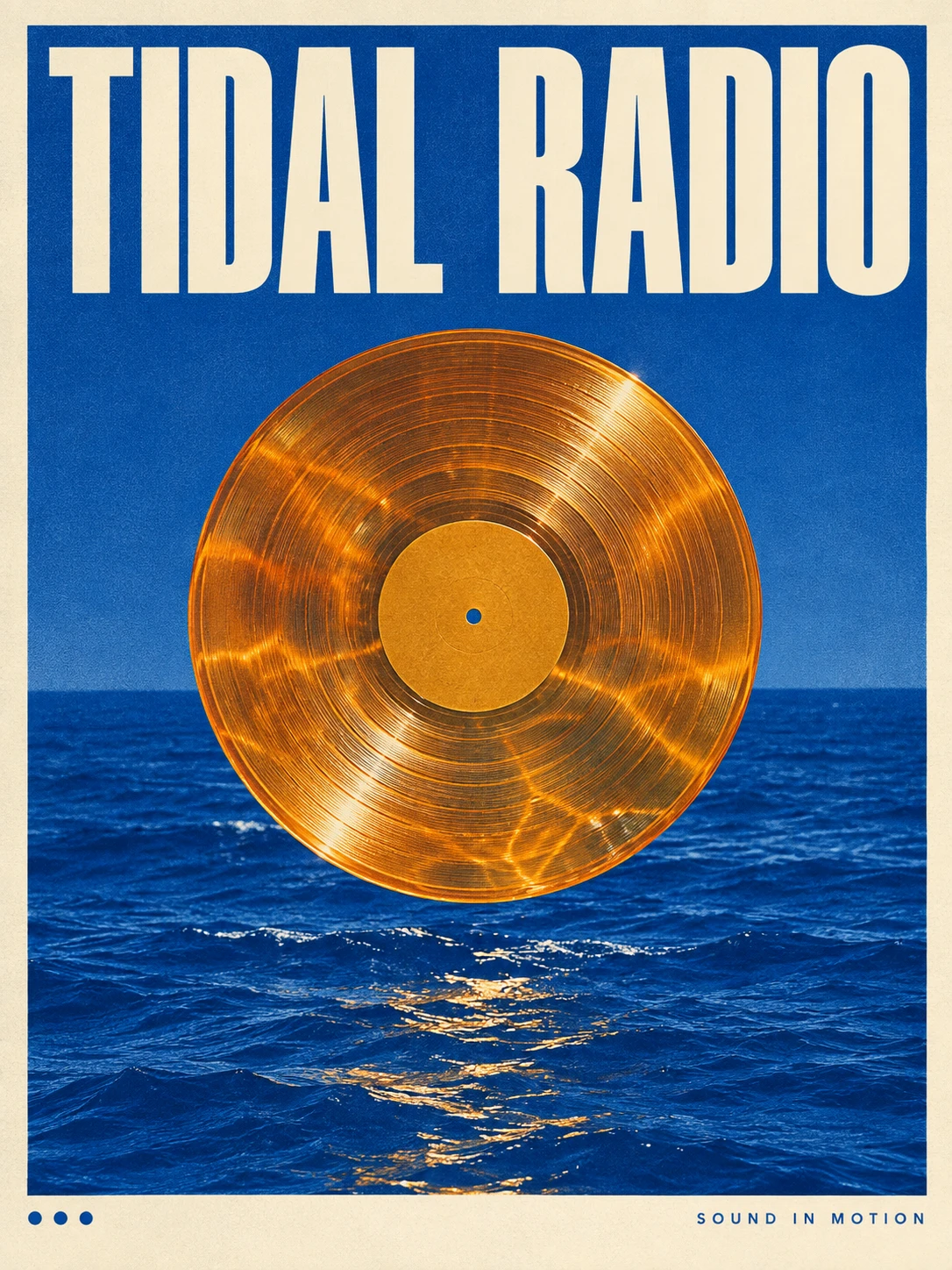
元画像
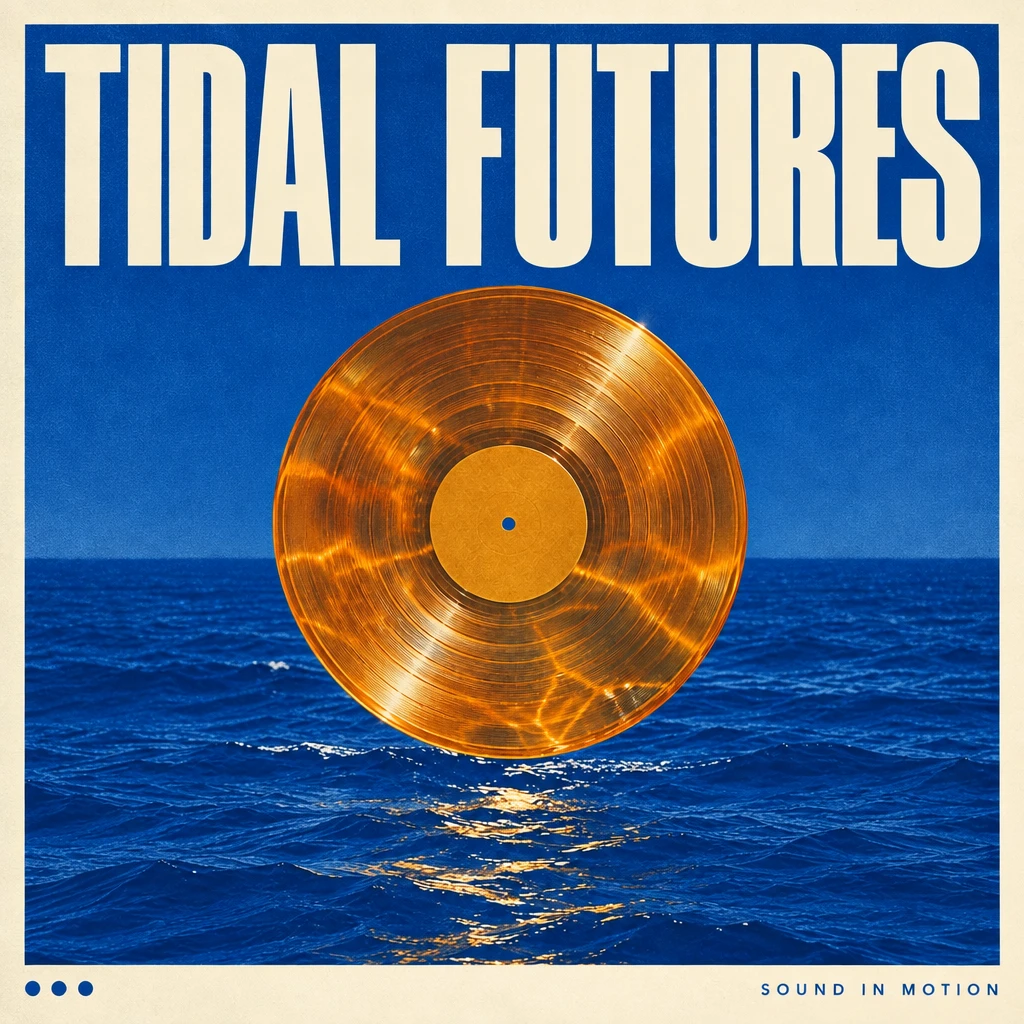
GPT Image 2.5を使用して生成 · 1K · High
実際の編集プロンプト
In my uploaded poster, replace only the main headline with TIDAL FUTURES. Keep the illustration, palette, paper texture, secondary text and margins unchanged. Fit the new headline into the existing title area with deliberate optical spacing and a clear reading order. Do not add a logo or new copy. Preserve the original aspect ratio.
元画像を開き、スタジオで利用可能な編集モデルを選んで参考画像を添付してください。プロンプトのコピーだけで生成は実行されません。
気に入った画像を起点にする
参考画像を選ぶ
自分が所有する画像、または編集許可のある画像を使います。変えてはいけない顔、形、文字、構図を明確にしましょう。
変更を1つ、明確に伝える
変える部分と残す部分を分けて伝えます。例えば「光を夜明けに変え、カメラ、被写体、背景の物は固定する」と指定します。
次の編集前に確認する
細部、文字、見た目の連続性を確認します。別の方向を試す前に、採用した結果とプロンプトを保存しましょう。
GPT Image 2.5についての質問
GPT Image 2.5は公開されましたか?
はい。OpenAIは2026年9月8日にChatGPT Images 2.5を発表し、API向けのGPT Image 2.5 FlareとSunburstも発表しました。提供状況の詳細は公式発表をご覧ください。
RuxaでGPT Image 2.5を今すぐ使えますか?
Ruxaとの連携はまだ確認できていません。このページはモデルの解説であり、GPT Image 2.5での生成を保証するものではありません。現在利用できるモデルはスタジオで確認してください。
GPT Image 2.5はGPT Image 2と何が違いますか?
OpenAIは速度、参考画像への忠実度、精密な編集、編集間の一貫性の改善を挙げています。これらは提供元の説明であり、このページにRuxa独自のベンチマークは掲載していません。
別のEditモデルを選ぶ必要はありますか?
画像編集では、元画像と編集指示を一緒に扱います。Ruxaが目指す流れは、参考画像をアップロードするか結果を選び、変更内容を書く方法です。実際の編集対応はスタジオで選んだモデルに依存します。
RuxaでGPT Image 2.5はいくらかかりますか?
RuxaでのGPT Image 2.5の料金は未確定です。生成を送信する前に、表示されているモデル、設定、予想クレジットを確認してください。他モデルの料金は2.5の料金を示すものではありません。
作例にはどのプロンプトを使いましたか?
すべての作例に、結果の生成で実際に使用した英語のプロンプトを掲載しています。編集例には元画像もあります。個別の出力で指示の効果を示しており、毎回すべての細部が残ることを保証しません。
もっと探す
ほかの画像モデルのガイドと、現在のスタジオのモデル一覧をご覧ください。