 01
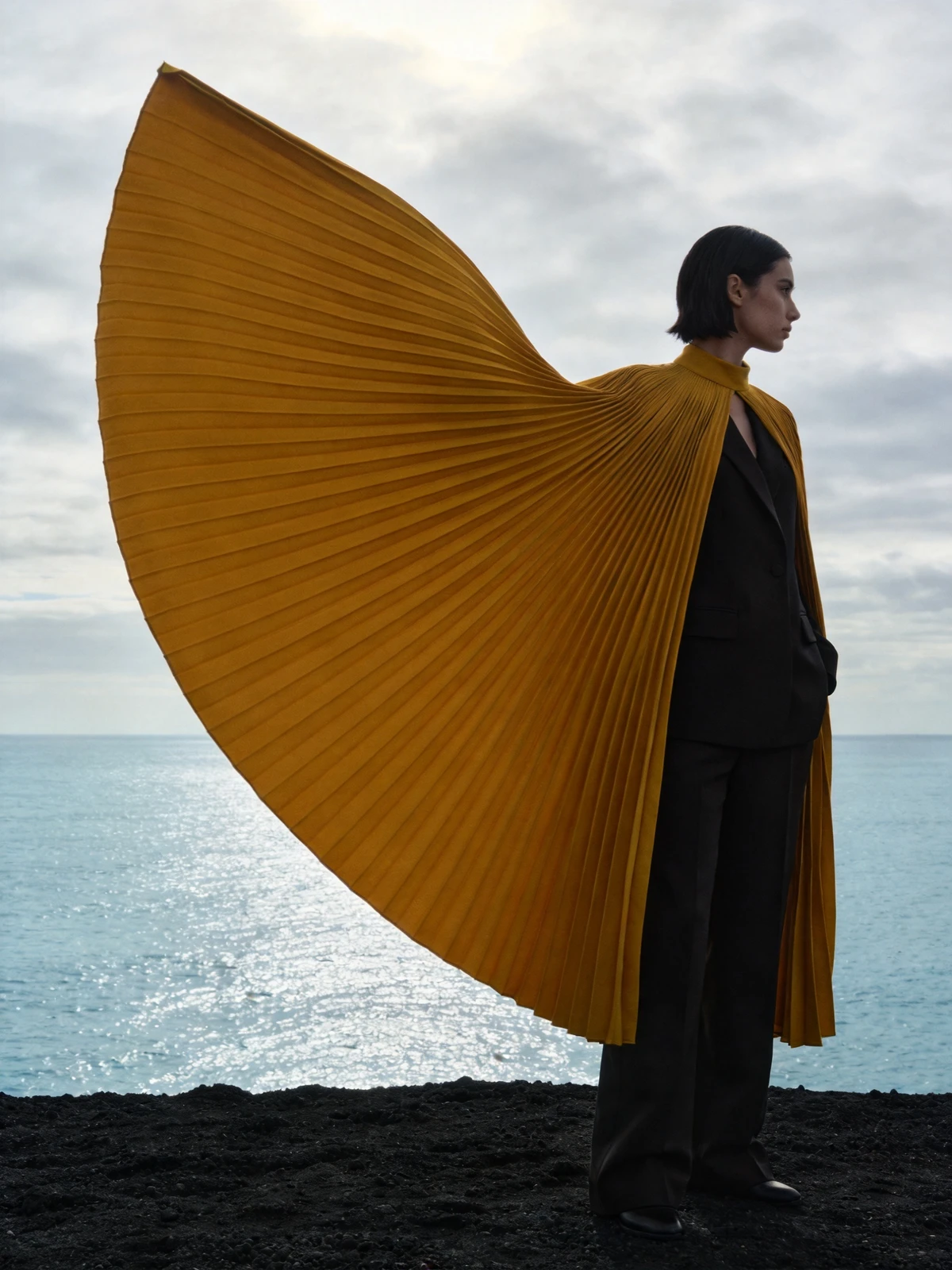
01Fashion composition
Fashion shaped by light
Seedream 4.5
Prompt used
Upload your reference after entering the studio. This fills the prompt without generating automatically.
Download this reference imageByteDance
Fabric, light and a sense of presence
Explore Seedream 4.5 through expressive fashion imagery: sculptural fabric, directional light and carefully staged portraits, with practical prompt guidance.
Available options and estimated credits are shown in the studio.
FIND YOUR CREATIVE DIRECTION
Explore the composition, compare the source where available, and open the prompt to understand the creative choices.
01Fashion composition
Seedream 4.5
Upload your reference after entering the studio. This fills the prompt without generating automatically.
Download this reference imageMEET THE MODEL
A fashion image is more than a garment. Fabric movement, body position, negative space and lighting all contribute to the impression. This creative direction uses one subject and a clearly described garment to make those decisions visible. Image editing can help explore a new setting or styling direction while a reference anchors the creative prompt.
MEET THE MODELTURN YOUR IDEA INTO A CLEAR BRIEF
Start with one clear outcome. Describe what matters, then change one element at a time.
Describe one person, a clear pose and the direction of their gaze. Keep unnecessary background characters out of the creative prompt.
Specify the fabric weight, folds and wind direction. A structured cape and a light scarf should not move in the same way.
Choose one dominant lighting direction and a restrained environment. Review the face, hands and garment edges at full size.
IN THE RUXA STUDIO
Controls reflect the current integration
A LITTLE MORE CLARITY
Describe the garment material, silhouette, pose and light. These concrete decisions are more helpful than a long list of luxury or cinematic adjectives.
The documented Seedream 4.5 image settings begin at 2K. Choose the lower available size for an initial draft.
Start with one subject, a simple background and no unnecessary mirrors. Check facial structure and garment edges before publishing.
MAKE SOMETHING YOURS
Pick a direction. Write your first prompt.
Open image studio