OPENAI · IMAGE MODEL GUIDE
GPT Image 2.5
Keep the idea. Refine the details.
OpenAI’s latest image release focuses on reference fidelity and precise edits. Discover where Flare and Sunburst fit into your next creative project.
Compare the two versionsOfficial announcement · September 8, 2026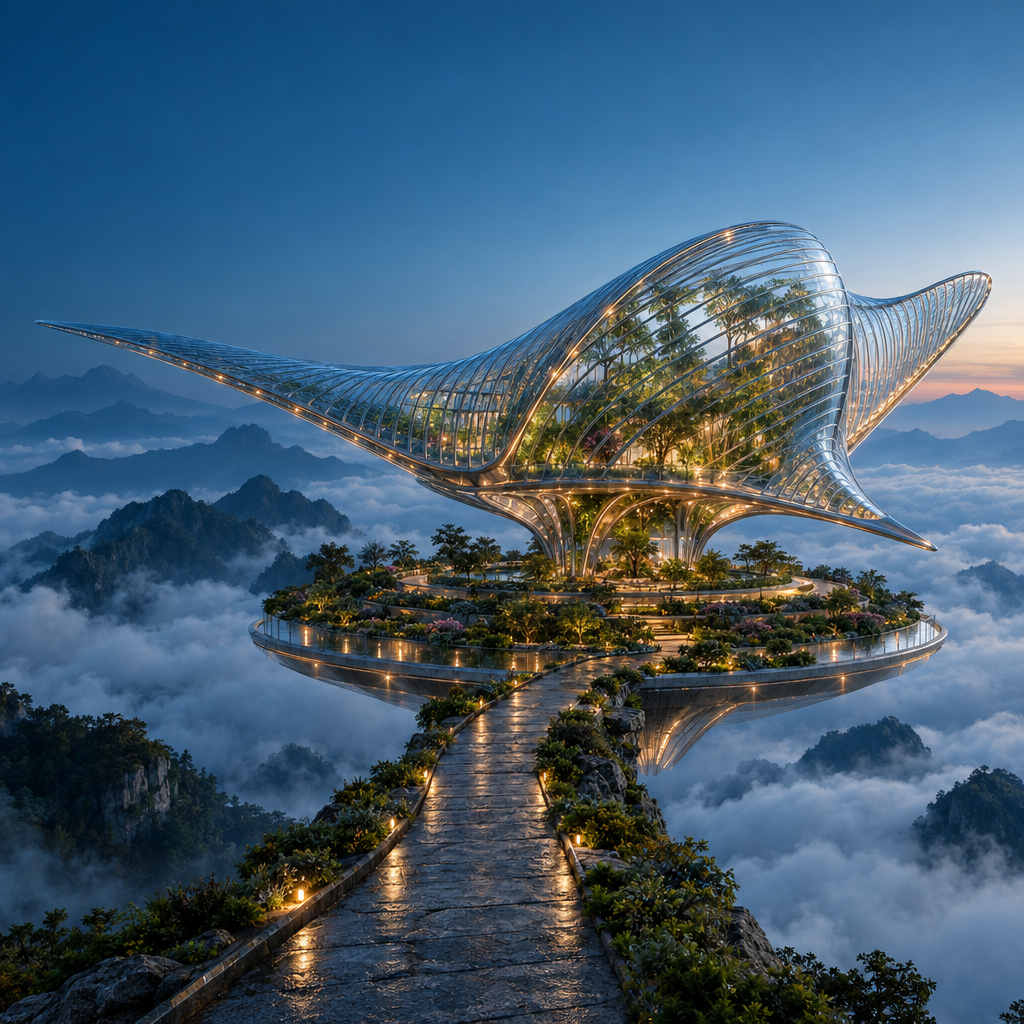
Exact generation prompt
Create a spectacular cinematic architectural photograph of an imaginary floating botanical observatory at blue hour. A single enormous manta-ray-shaped pavilion made from clear ribbed glass and slender polished titanium floats above a circular terraced garden in a sea of clouds. The glass fins curve gracefully, with botanicals visible inside and small warm amber lights following the structural ribs. A narrow stone causeway approaches from the lower foreground; layered mountain silhouettes recede into mist. Precise architectural geometry, believable glass refraction, damp stone microtexture, atmospheric depth and carefully restrained teal-and-amber color grading. Low three-quarter wide-angle view, one unmistakable focal point, ambitious editorial art direction, grand scale, crisp but natural detail. Keep the upper-left corner visually quiet for potential website text. Square composition. No people, no text, no logos, no collage, no split screen, no visible watermark.
This is a model guide. GPT Image 2.5 generation and pricing in Ruxa have not yet been verified. The studio button opens the current model selection.
See what the prompt becomes
Original images generated with GPT Image 2.5 at 1024 × 1024 and High quality. Explore the full images and the exact prompts used.
One brief. Two interpretations.
Flare and Sunburst received the same poster prompt, resolution and quality setting. Compare the lettering, spacing and glass reflections. These single outputs illustrate differences; they are not a general ranking.
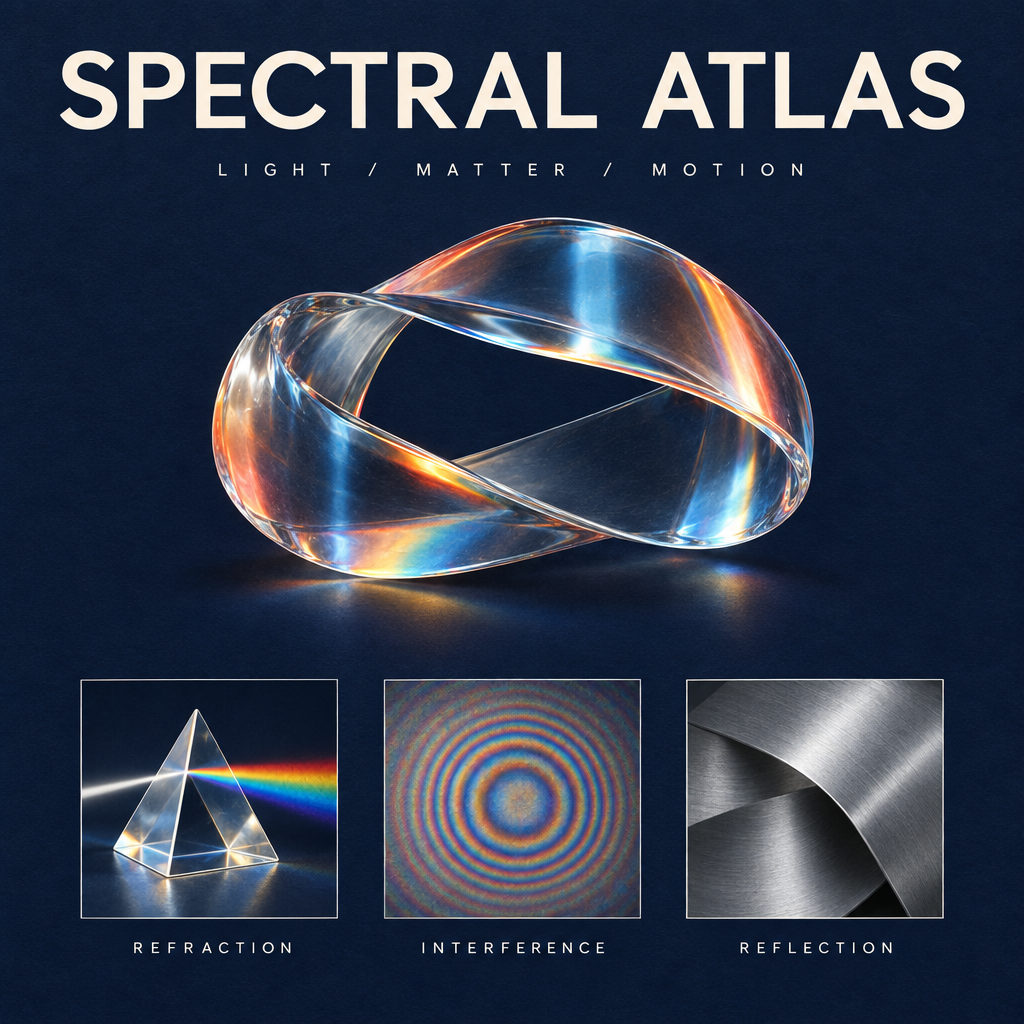
Generated with GPT Image 2.5 · 1K · High
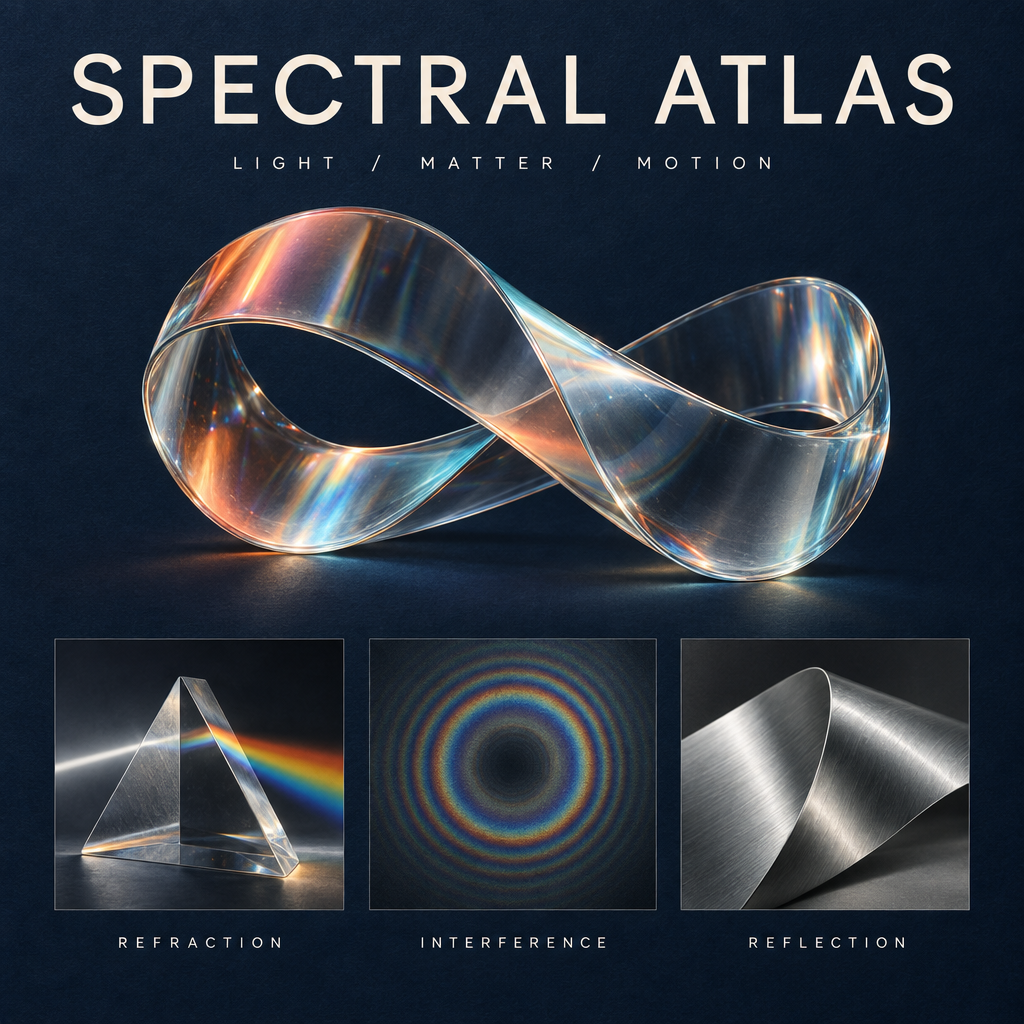
Generated with GPT Image 2.5 · 1K · High
Exact generation prompt
The exact English prompt is retained for reproducibility. Translated creative ideas appear below.
Design a collectible square museum exhibition poster titled SPECTRAL ATLAS. Deep ink-blue uncoated paper background with a very subtle tactile grain. At the top, set exactly SPECTRAL ATLAS in large ivory elegant modern grotesk letters with precise kerning; beneath it, exactly LIGHT / MATTER / MOTION in small widely spaced type. The central artwork is a luminous physically plausible glass ribbon folded into one continuous sculptural loop, refracting a restrained spectrum of coral, amber and icy cyan. Below the sculpture, place a perfectly aligned row of three small specimen panels: a detailed glass prism labeled REFRACTION, a fine concentric interference pattern labeled INTERFERENCE, and a brushed aluminium folded surface labeled REFLECTION. These three labels must be spelled exactly and clearly readable. Editorial Swiss-grid composition, generous margins, sharply resolved typography, sophisticated material rendering, subtle shadows and physically coherent highlights, premium contemporary science-museum identity. Only the five specified text strings and main title; no extra copy, no logos, no dates, no QR codes, no watermark. The image should feel like an art-directed design object, not a generic technology infographic.
Change the headline. Keep the design.
Starting from the Sunburst poster, we requested only a Chinese headline: 光谱图鉴. Compare the sculpture, English labels and layout to see which details were preserved.
Generated with GPT Image 2.5 · 1K · High
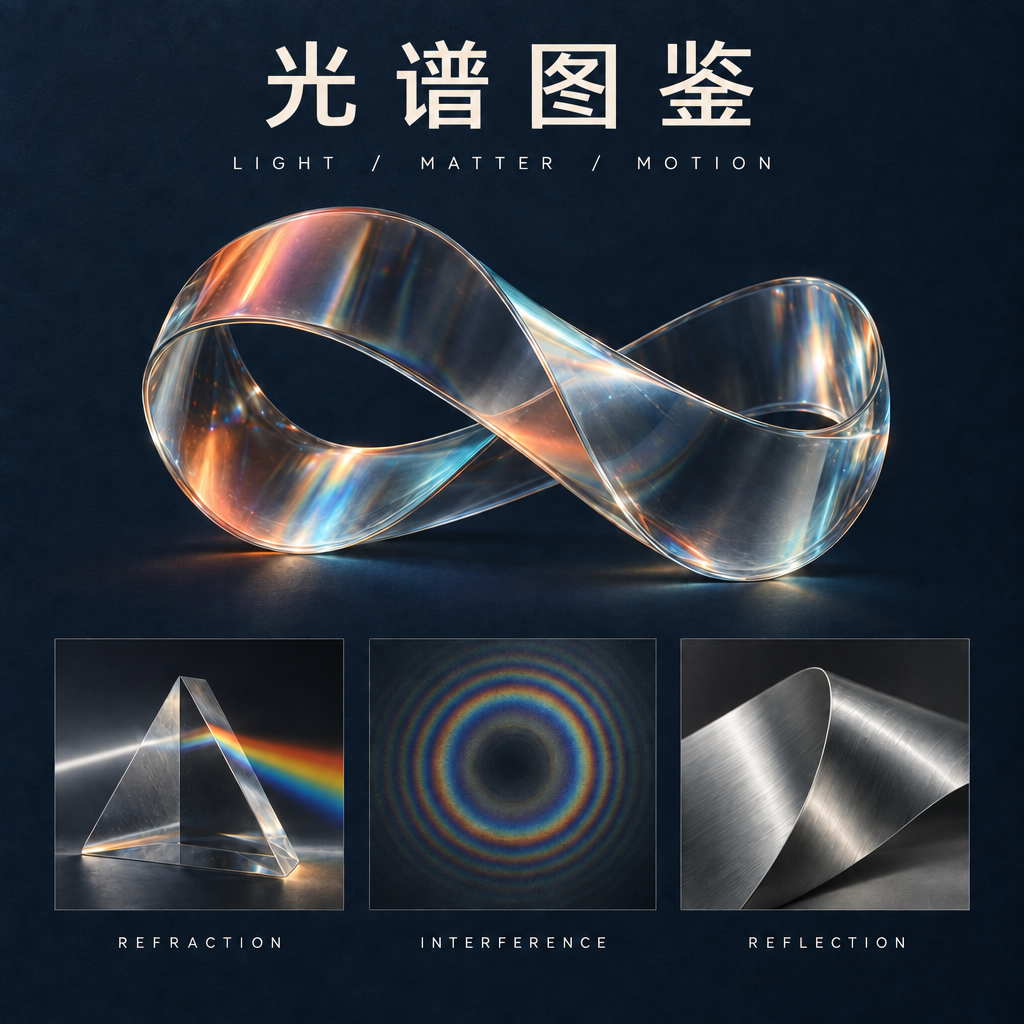
Generated with GPT Image 2.5 · 1K · High
Exact generation prompt
Use the original image above as your editing reference. The exact English prompt is retained for reproducibility. Translated creative ideas appear below.
Make exactly one typography edit to this poster. Replace only the main headline SPECTRAL ATLAS with the four Chinese characters 光谱图鉴. Use clean, correctly formed Chinese characters with a refined modern typographic weight matching the original headline. Keep the headline in the same top title area and preserve optical balance. Do not change the subtitle LIGHT / MATTER / MOTION, the three English panel labels REFRACTION, INTERFERENCE, REFLECTION, the glass sculpture, its colors, highlights, specimen panels, paper texture, margins, or composition. Do not introduce any extra text or decoration. Preserve the square 1024 by 1024 layout.
GPT Image 2.5 Flare or Sunburst?
OpenAI introduced two API variants. Choose a starting direction by your workflow, then test it with your own reference image.
QUICK EXPLORATION
GPT Image 2.5 Flare
Flare is positioned for faster generation and everyday creative iteration. Start here when exploring multiple visual directions.
CAREFUL REFINEMENT
GPT Image 2.5 Sunburst
Sunburst targets detailed creative and editing work, with longer generation times. Consider it when small changes matter to the final composition.
What is new in GPT Image 2.5?
Reference fidelity
OpenAI reports better preservation of subjects from reference images. For your own test, compare the silhouette, distinctive details and lighting against the source.
Targeted edits
The release emphasizes changing requested elements while preserving surrounding details. A useful test is to replace one object without moving its neighbors.
Consistent refinement
Multi-turn editing is a focus of the release. Keep each instruction specific and compare every step with the original, not only the previous result.
Three ideas worth testing
Original creative briefs, not verified GPT Image 2.5 outputs. These prompts are starting points; inspect each result before reusing it.
One character, a new world
Start with an original character reference. Move the scene from a quiet observatory to a floating botanical station while keeping the character recognizable.
Creative prompt
Use my uploaded character as the visual anchor. Preserve the face, short silver hair, amber jacket, body proportions and three-quarter pose. Place the character on a floating botanical station above a cloud sea at dawn. Add translucent greenhouse arches, suspended roots and soft peach light. Maintain a coherent contact shadow. No additional people, logos or text.
Change only the material
Upload a simple sculpture. Compare a paper version with a glazed ceramic edit to see which contours and small details survive.
Creative prompt
Edit only the material of the sculpture in my reference: transform folded paper into hand-glazed celadon ceramic. Preserve the exact outer silhouette, orientation, placement and camera angle. Add subtle glaze pooling around folds and a soft ceramic sheen. Keep the original backdrop, pedestal and lighting direction. Do not add objects or redesign the sculpture.
A poster that stays on brief
Begin with your own poster layout. Replace a single headline, then check spacing, spelling and the unchanged parts of the design.
Creative prompt
In my uploaded poster, replace only the main headline with TIDAL FUTURES. Keep the illustration, palette, paper texture, secondary text and margins unchanged. Fit the new headline into the existing title area with deliberate optical spacing and a clear reading order. Do not add a logo or new copy. Preserve the original aspect ratio.
Choose an available model and upload your own reference in the studio. This does not submit a generation.
Build on the image you already like
Choose a reference
Use an image you own or have permission to edit. Identify the face, shape, text or composition that must stay unchanged.
Ask for one clear change
Separate what should change from what should remain. For example: change the lighting to dawn; keep the camera, subject and background objects fixed.
Review before the next edit
Check fine details, text and visual continuity. Save the accepted result and its prompt before trying another direction.
GPT Image 2.5 questions
Has GPT Image 2.5 been released?
Yes. OpenAI announced ChatGPT Images 2.5 on September 8, 2026, alongside GPT Image 2.5 Flare and Sunburst for its API. See the official announcement for availability details.
Can I use GPT Image 2.5 in Ruxa now?
Ruxa integration has not yet been verified. This page explains the model; it does not offer confirmed GPT Image 2.5 generation. Open the studio to see the models currently available.
How is GPT Image 2.5 different from GPT Image 2?
OpenAI highlights improvements to speed, reference fidelity, precise editing and consistency across edits. These are the provider’s claims; this page does not present an independent Ruxa benchmark.
Do I need a separate Edit model?
For image editing, the starting image and the editing instruction belong together. Ruxa’s intended workflow is to upload a reference or select a result, then describe the change. Actual editing support depends on the model selected in the studio.
What does GPT Image 2.5 cost in Ruxa?
Ruxa pricing for GPT Image 2.5 has not been confirmed. Check the displayed model, settings and credit estimate before submitting any generation; other models’ prices do not establish the price of 2.5.
Which prompts were used for the examples?
The image comparisons use the exact English prompts shown beneath them. The three additional creative ideas are untested starting points. These are individual samples, not a guarantee that every generation will preserve all details.
Keep exploring
Explore other image model guides and the current studio catalog.
Your next image starts with a clear idea.
Explore the studio’s available models while GPT Image 2.5 integration is being evaluated.
Explore available image models