
OPENAI · 이미지 모델 가이드
GPT Image 2.5
아이디어는 그대로, 디테일은 더 정교하게.
OpenAI의 최신 이미지 모델은 참조 이미지 충실도와 정밀한 편집에 중점을 둡니다. 다음 창작에 Flare와 Sunburst를 어떻게 활용할지 살펴보세요.
두 버전 비교하기공식 발표 · 2026년 9월 8일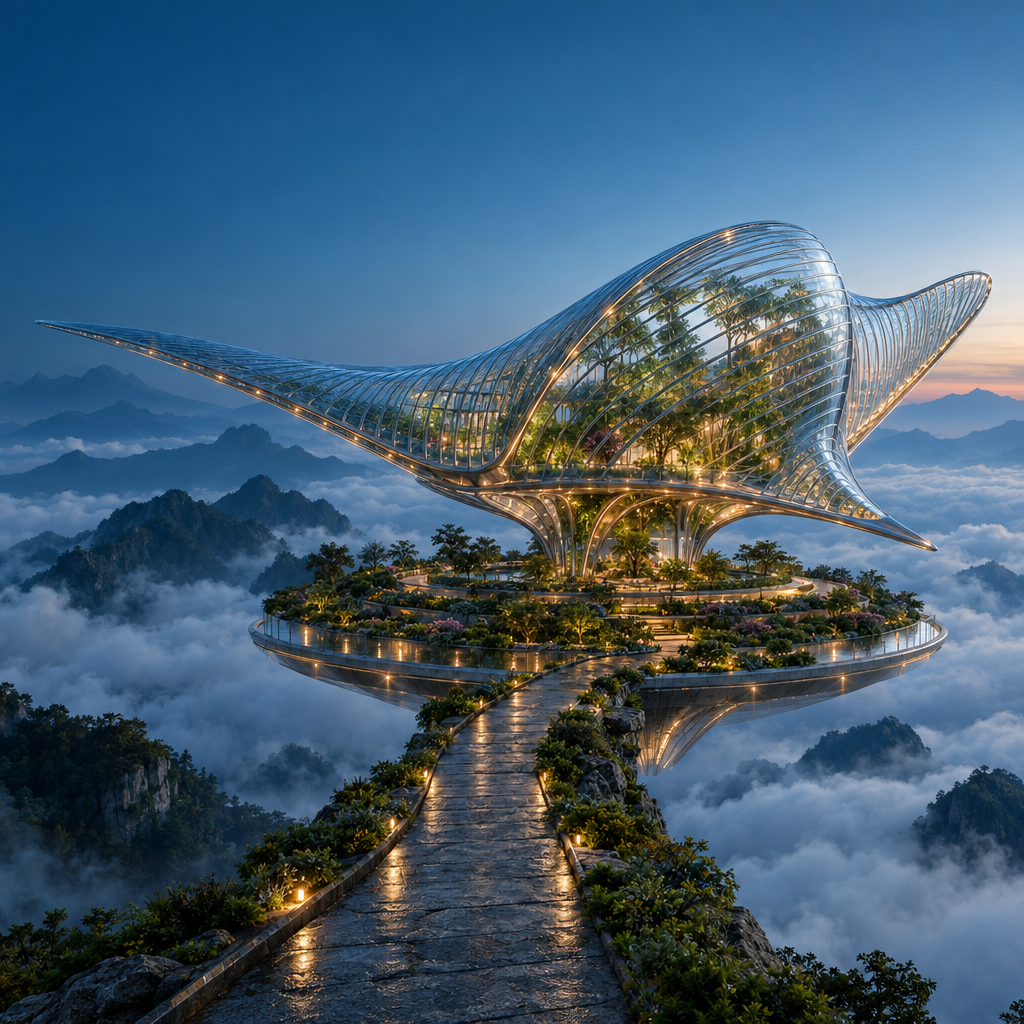
실제 생성 프롬프트
Create a spectacular cinematic architectural photograph of an imaginary floating botanical observatory at blue hour. A single enormous manta-ray-shaped pavilion made from clear ribbed glass and slender polished titanium floats above a circular terraced garden in a sea of clouds. The glass fins curve gracefully, with botanicals visible inside and small warm amber lights following the structural ribs. A narrow stone causeway approaches from the lower foreground; layered mountain silhouettes recede into mist. Precise architectural geometry, believable glass refraction, damp stone microtexture, atmospheric depth and carefully restrained teal-and-amber color grading. Low three-quarter wide-angle view, one unmistakable focal point, ambitious editorial art direction, grand scale, crisp but natural detail. Keep the upper-left corner visually quiet for potential website text. Square composition. No people, no text, no logos, no collage, no split screen, no visible watermark.
이 페이지는 모델 가이드입니다. Ruxa에서 GPT Image 2.5의 생성 기능과 가격은 아직 검증되지 않았습니다. 스튜디오 버튼을 누르면 현재 선택 가능한 모델이 열립니다.
프롬프트가 작품이 되는 모습
GPT Image 2.5로 생성한 독창적인 이미지입니다. 해상도는 1024 × 1024, 품질은 High로 설정했습니다. 전체 이미지와 실제 사용한 프롬프트를 확인하세요.
같은 요청, 두 가지 해석.
Flare와 Sunburst에 동일한 포스터 프롬프트, 해상도, 품질 설정을 적용했습니다. 글자, 간격과 유리 반사를 비교해 보세요. 각 한 번의 결과로 차이를 보여 주며, 전반적인 모델 순위를 의미하지 않습니다.
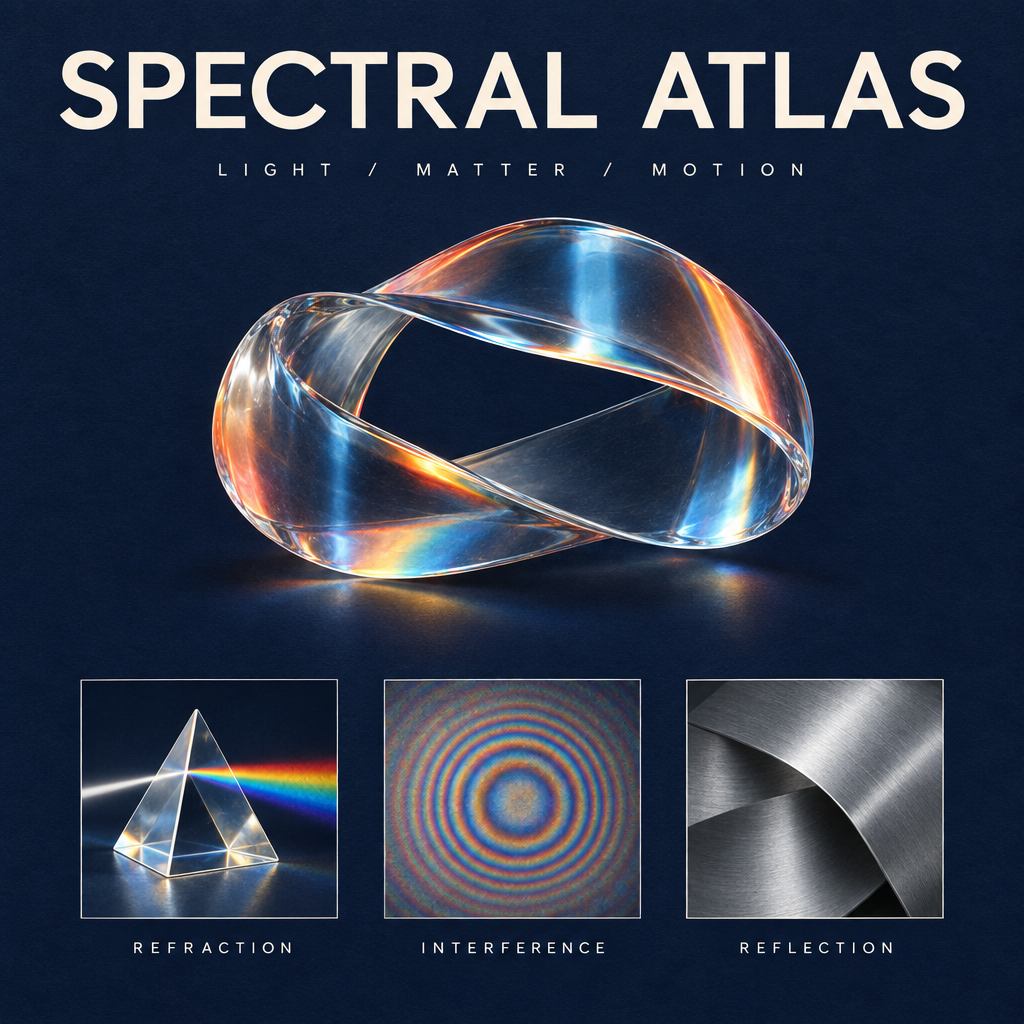
GPT Image 2.5로 생성 · 1K · High
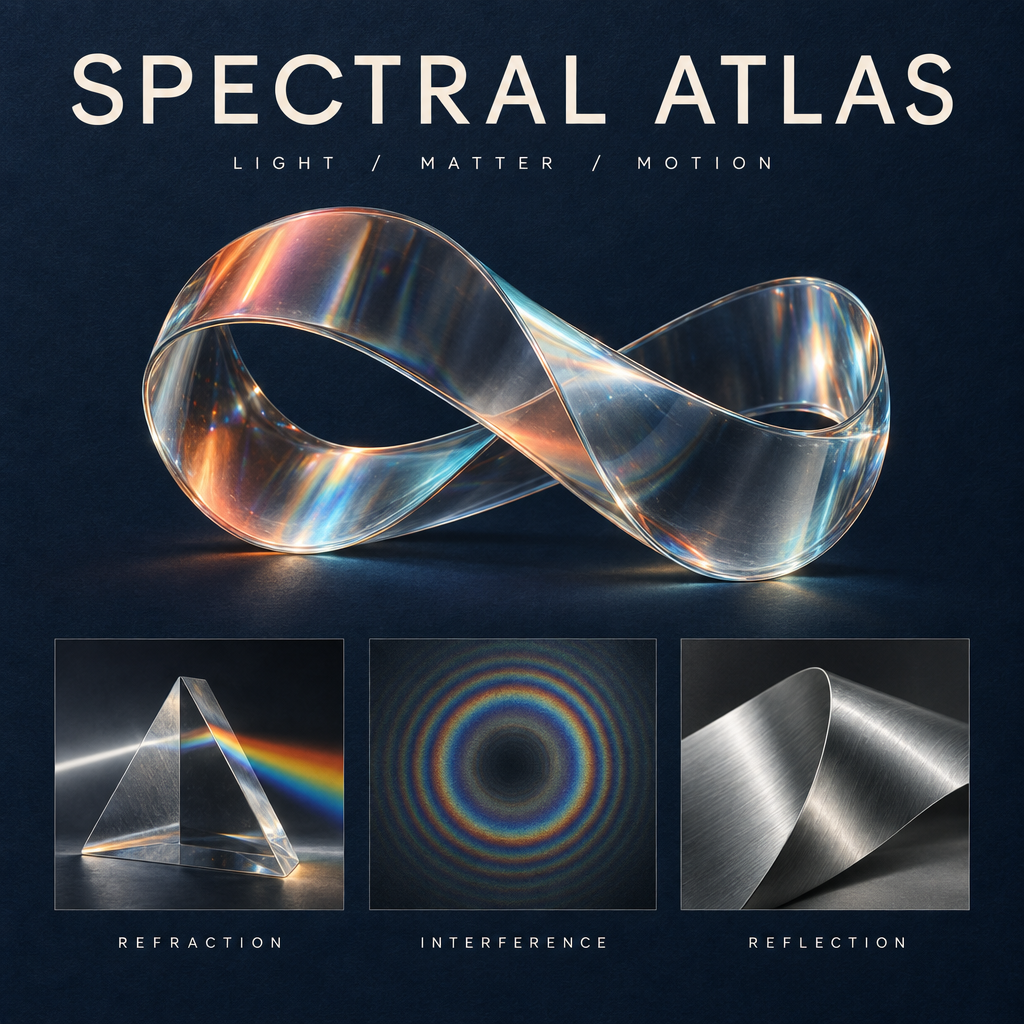
GPT Image 2.5로 생성 · 1K · High
실제 생성 프롬프트
같은 지시를 재사용할 수 있도록 실제 영어 프롬프트를 그대로 제공합니다.
Design a collectible square museum exhibition poster titled SPECTRAL ATLAS. Deep ink-blue uncoated paper background with a very subtle tactile grain. At the top, set exactly SPECTRAL ATLAS in large ivory elegant modern grotesk letters with precise kerning; beneath it, exactly LIGHT / MATTER / MOTION in small widely spaced type. The central artwork is a luminous physically plausible glass ribbon folded into one continuous sculptural loop, refracting a restrained spectrum of coral, amber and icy cyan. Below the sculpture, place a perfectly aligned row of three small specimen panels: a detailed glass prism labeled REFRACTION, a fine concentric interference pattern labeled INTERFERENCE, and a brushed aluminium folded surface labeled REFLECTION. These three labels must be spelled exactly and clearly readable. Editorial Swiss-grid composition, generous margins, sharply resolved typography, sophisticated material rendering, subtle shadows and physically coherent highlights, premium contemporary science-museum identity. Only the five specified text strings and main title; no extra copy, no logos, no dates, no QR codes, no watermark. The image should feel like an art-directed design object, not a generic technology infographic.
제목을 바꾸고 디자인은 유지하기.
Sunburst 포스터를 원본으로 사용해 제목만 중국어 “光谱图鉴”으로 바꿔 달라고 요청했습니다. 조형물, 영어 라벨과 레이아웃을 비교하며 어떤 디테일이 유지됐는지 확인하세요.
GPT Image 2.5로 생성 · 1K · High
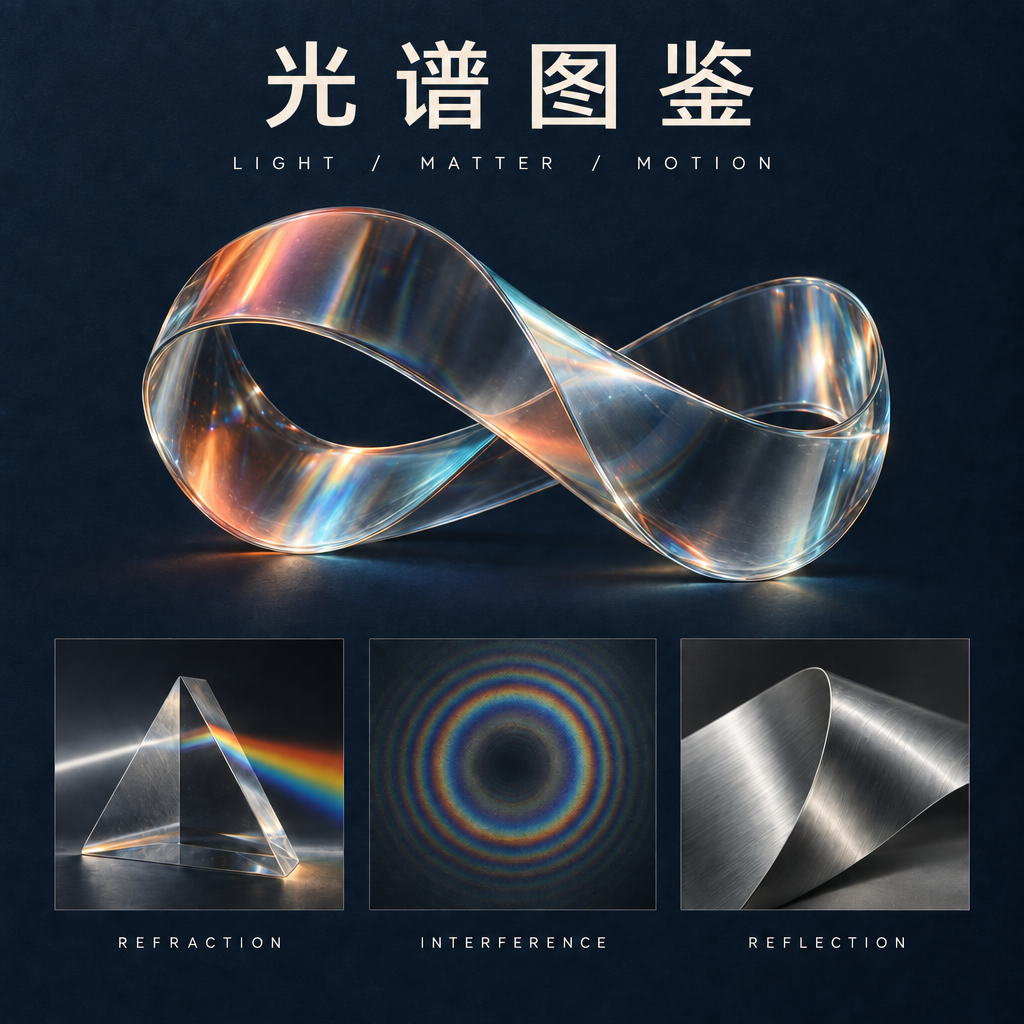
GPT Image 2.5로 생성 · 1K · High
실제 생성 프롬프트
위의 원본 이미지를 편집용 참조 이미지로 사용할 수 있습니다. 같은 지시를 재사용할 수 있도록 실제 영어 프롬프트를 그대로 제공합니다.
Make exactly one typography edit to this poster. Replace only the main headline SPECTRAL ATLAS with the four Chinese characters 光谱图鉴. Use clean, correctly formed Chinese characters with a refined modern typographic weight matching the original headline. Keep the headline in the same top title area and preserve optical balance. Do not change the subtitle LIGHT / MATTER / MOTION, the three English panel labels REFRACTION, INTERFERENCE, REFLECTION, the glass sculpture, its colors, highlights, specimen panels, paper texture, margins, or composition. Do not introduce any extra text or decoration. Preserve the square 1024 by 1024 layout.
GPT Image 2.5 Flare와 Sunburst, 무엇을 선택할까요?
OpenAI는 두 가지 API 버전을 발표했습니다. 작업 방식에 맞는 출발점을 정한 뒤, 자신의 참조 이미지로 테스트해 보세요.
빠른 탐색
GPT Image 2.5 Flare
Flare는 더 빠른 생성과 일상적인 창작 반복에 초점을 둡니다. 여러 시각적 방향을 탐색할 때 먼저 살펴볼 수 있습니다.
정교한 다듬기
GPT Image 2.5 Sunburst
Sunburst는 세부적인 창작과 편집을 목표로 하며, 생성 시간이 더 오래 걸립니다. 작은 수정이 최종 구도에 중요한 영향을 줄 때 고려해 보세요.
GPT Image 2.5의 새로운 점은 무엇인가요?
참조 이미지 충실도
OpenAI는 참조 이미지 속 피사체를 더 잘 보존한다고 설명합니다. 직접 테스트할 때 원본과 윤곽, 고유한 디테일, 조명을 비교해 보세요.
지정한 부분만 편집
이번 발표는 주변 디테일을 보존하면서 요청한 요소를 바꾸는 기능을 강조합니다. 주변 사물은 움직이지 않고 물체 하나만 교체해 보면 확인하기 좋습니다.
일관성 있는 연속 수정
여러 차례 이어지는 이미지 편집이 이번 발표의 주요 내용입니다. 지시를 구체적으로 작성하고, 각 단계를 직전 결과뿐 아니라 원본과도 비교하세요.
처음부터 끝까지 보여 주는 세 가지 편집
실제 GPT Image 2.5 Sunburst 편집과 원본을 비교하세요. 사용 프롬프트에서 바꾸려는 내용과 유지할 디테일을 어떻게 구분했는지 확인할 수 있습니다.
같은 캐릭터, 새로운 세계
호박색 재킷을 입은 은발 캐릭터가 천문대에서 공중 식물 연구 기지로 이동합니다. 얼굴, 자세와 의상을 원본과 비교하세요.
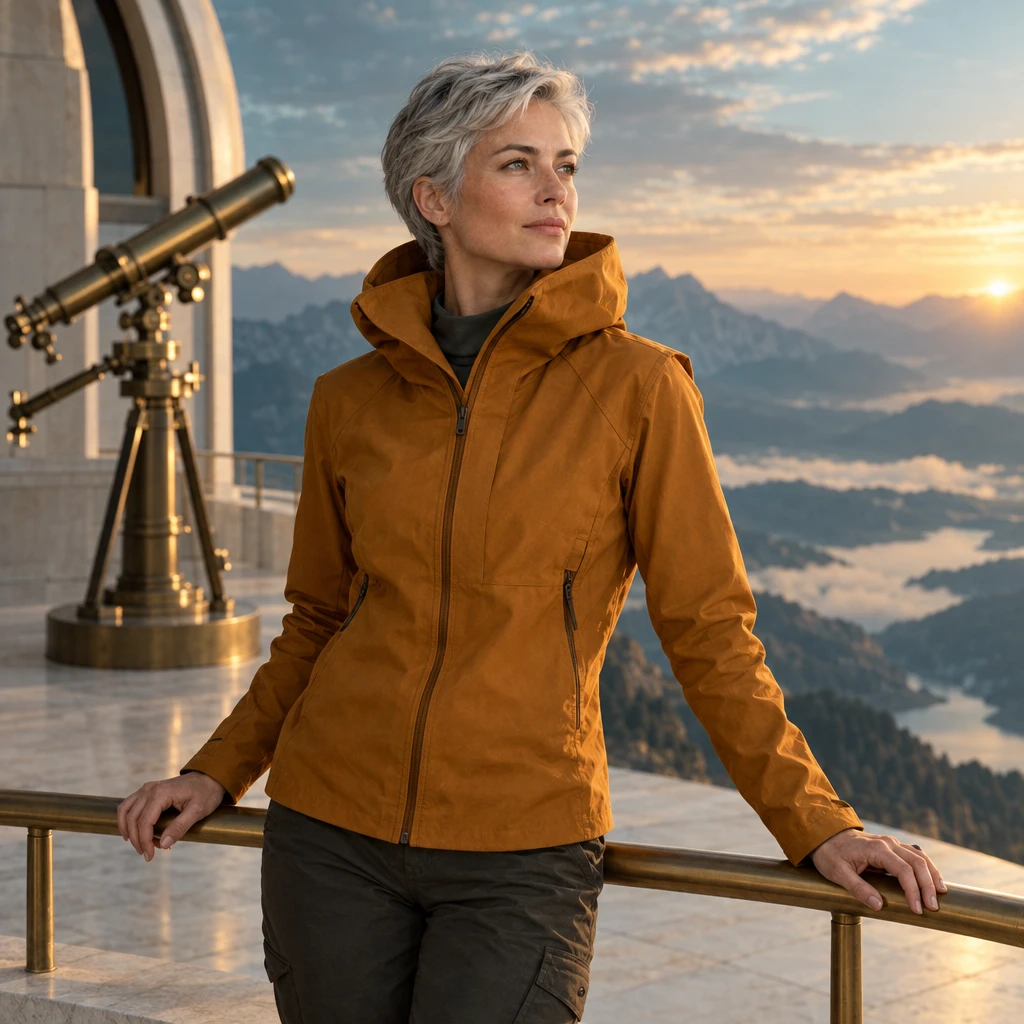
원본 이미지
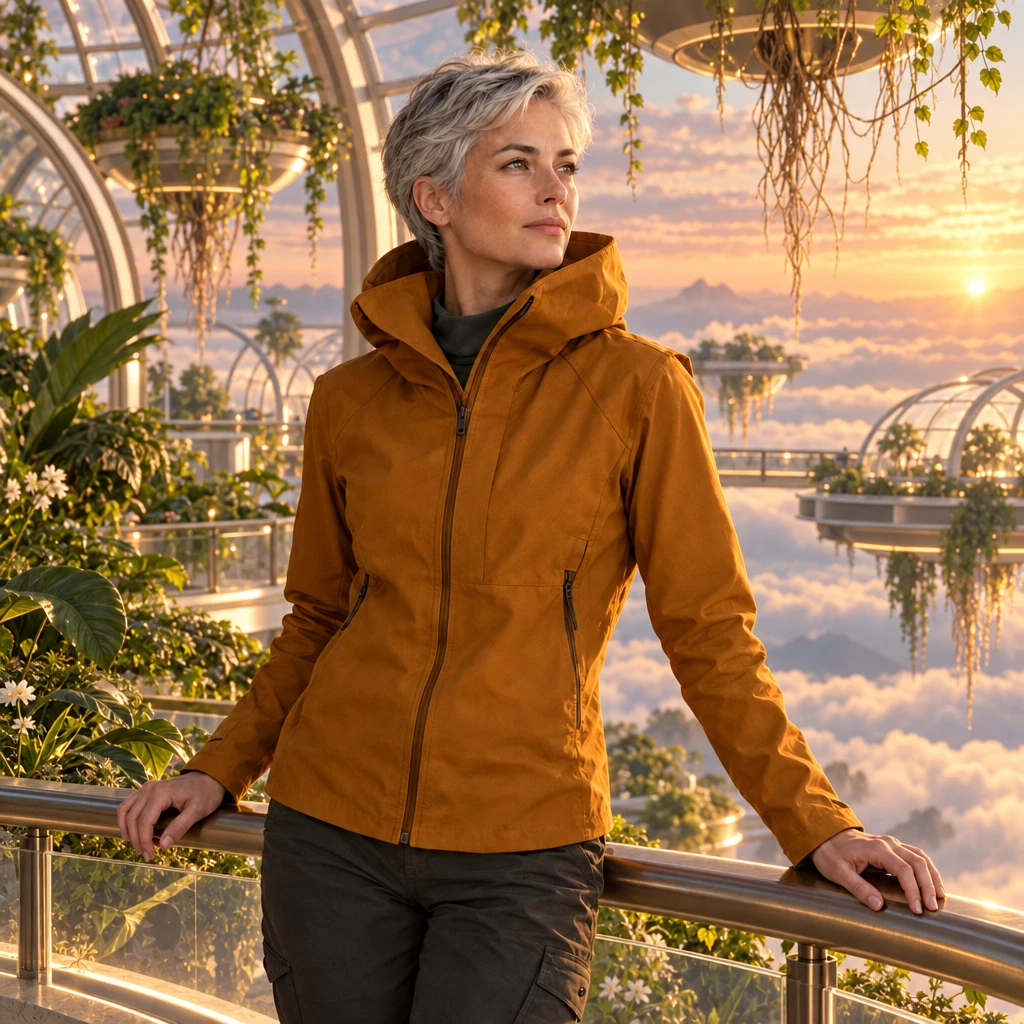
GPT Image 2.5로 생성 · 1K · High
실제 편집 프롬프트
Use my uploaded character as the visual anchor. Preserve the face, short silver hair, amber jacket, body proportions and three-quarter pose. Place the character on a floating botanical station above a cloud sea at dawn. Add translucent greenhouse arches, suspended roots and soft peach light. Maintain a coherent contact shadow. No additional people, logos or text.
소재만 바꾸기
종이접기 잉어가 유약을 바른 청자로 바뀝니다. 윤곽, 접힌 부분, 받침과 조명을 원본과 비교하세요.
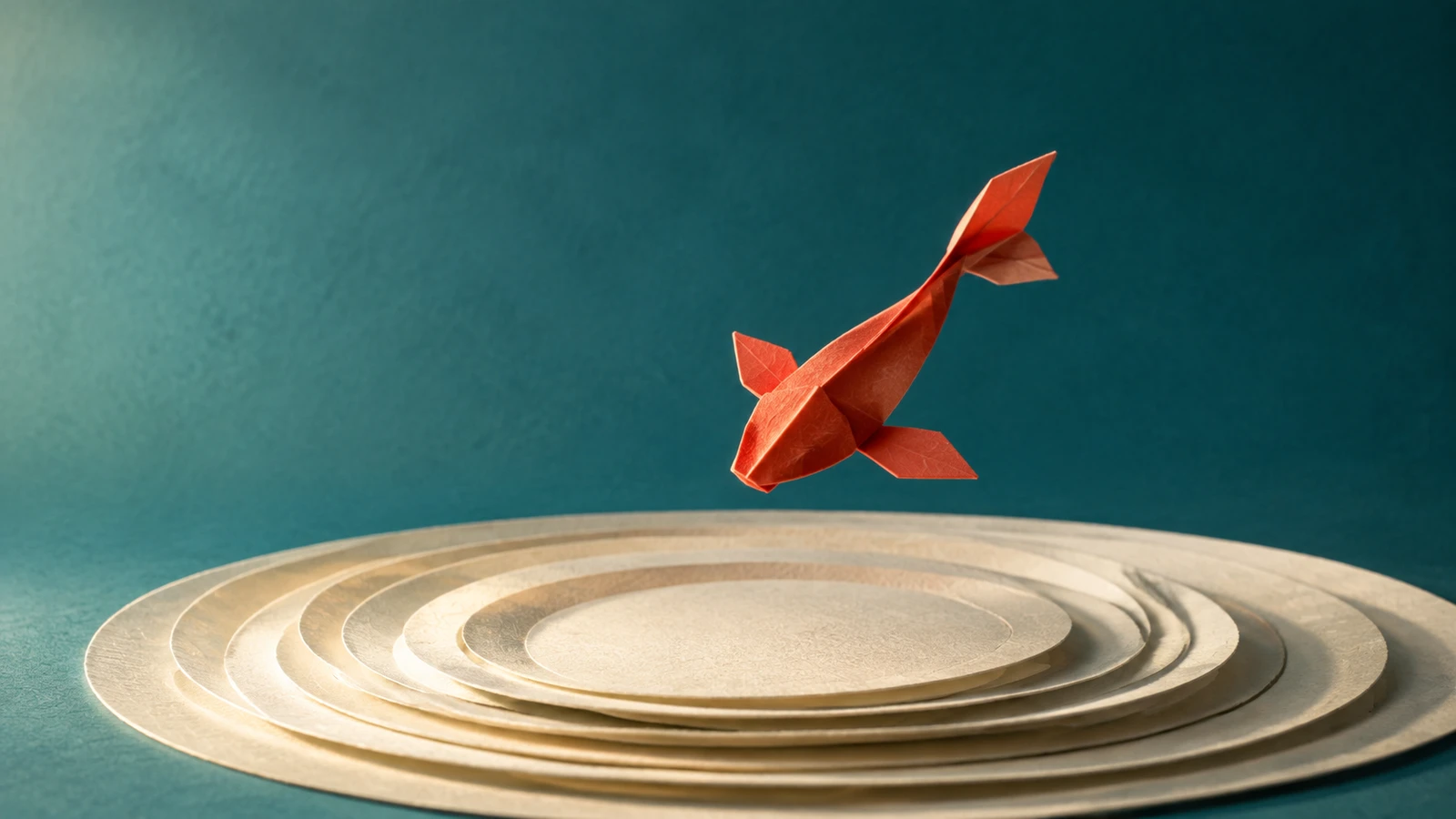
원본 이미지
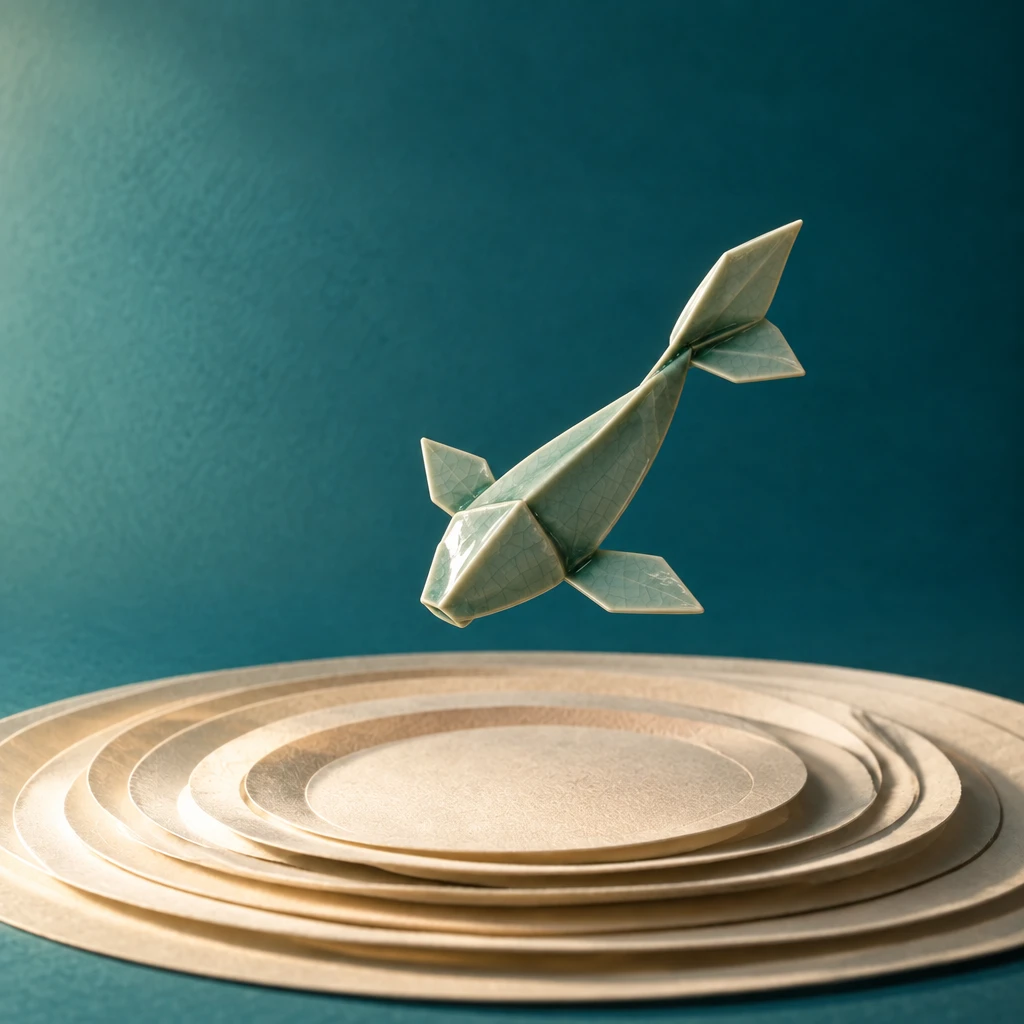
GPT Image 2.5로 생성 · 1K · High
실제 편집 프롬프트
Edit only the material of the sculpture in my reference: transform folded paper into hand-glazed celadon ceramic. Preserve the exact outer silhouette, orientation, placement and camera angle. Add subtle glaze pooling around folds and a soft ceramic sheen. Keep the original backdrop, pedestal and lighting direction. Do not add objects or redesign the sculpture.
기획을 유지하는 포스터 편집
제목이 TIDAL FUTURES로 바뀝니다. 글자, 간격과 수정하지 않은 일러스트를 원본 포스터와 비교하세요.
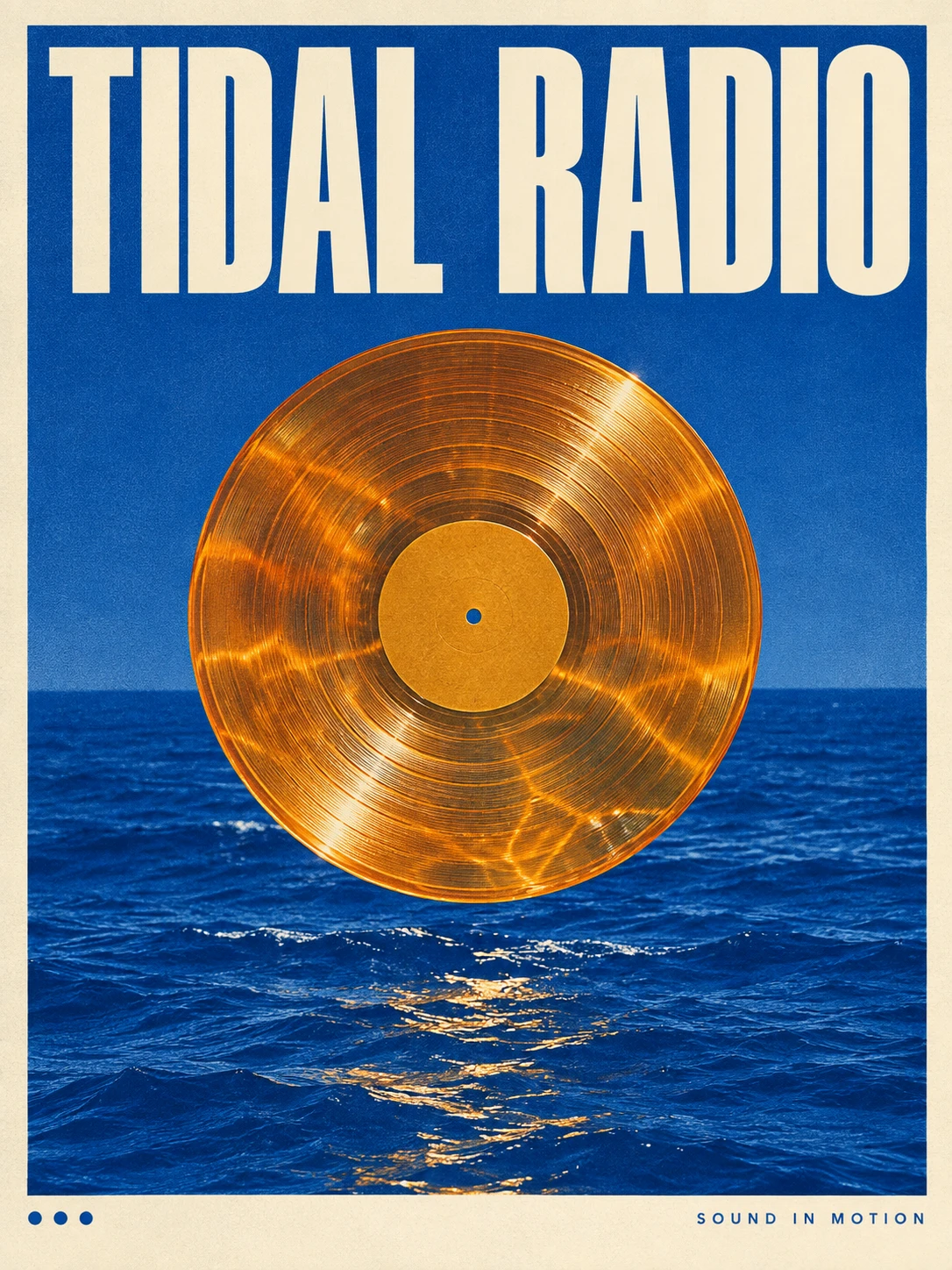
원본 이미지
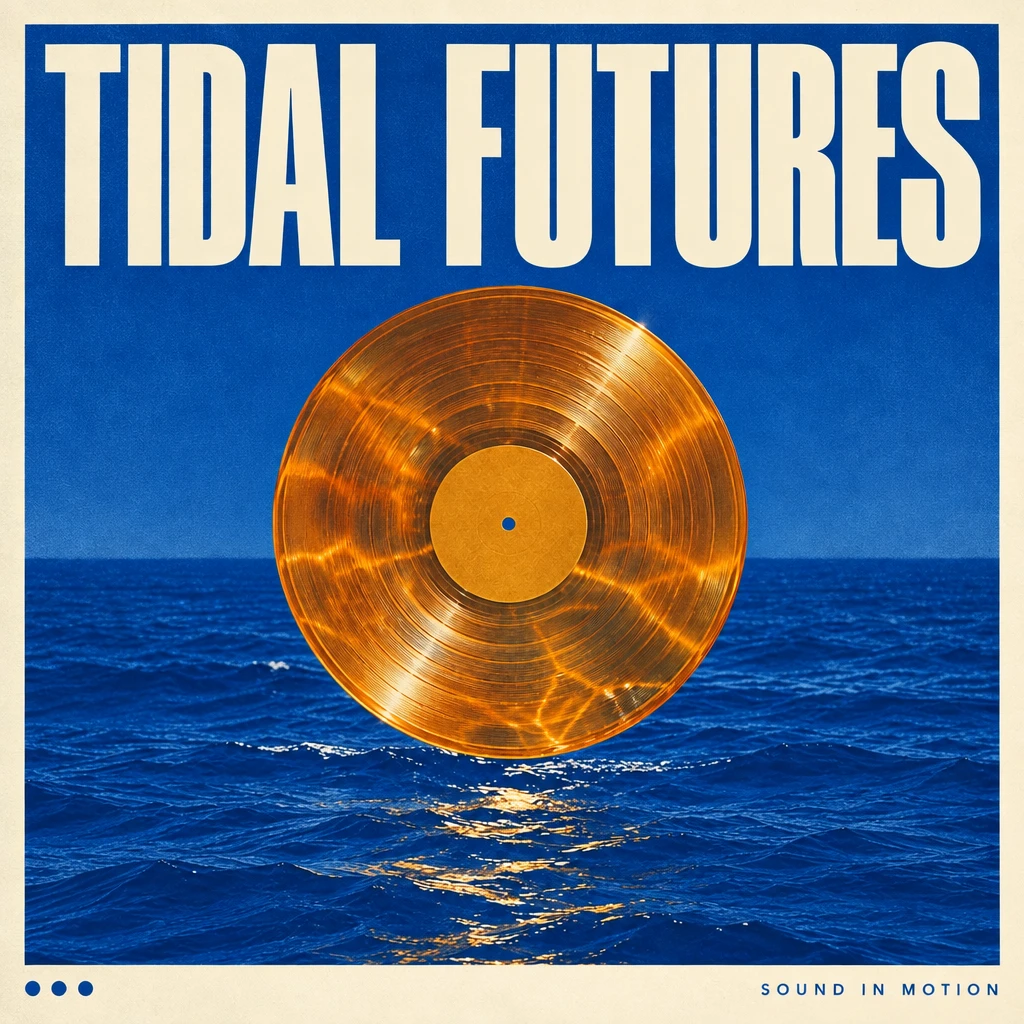
GPT Image 2.5로 생성 · 1K · High
실제 편집 프롬프트
In my uploaded poster, replace only the main headline with TIDAL FUTURES. Keep the illustration, palette, paper texture, secondary text and margins unchanged. Fit the new headline into the existing title area with deliberate optical spacing and a clear reading order. Do not add a logo or new copy. Preserve the original aspect ratio.
원본을 연 다음 스튜디오에서 사용 가능한 편집 모델을 선택하고 참조를 첨부하세요. 프롬프트 복사만으로 생성이 제출되지는 않습니다.
마음에 든 이미지에서 이어서 만들기
참조 이미지 선택
직접 소유하거나 편집 허가를 받은 이미지를 사용하세요. 바뀌면 안 되는 얼굴, 형태, 글자 또는 구도를 정하세요.
명확한 변경 하나 요청
바꿀 부분과 유지할 부분을 구분하세요. 예를 들어 조명을 새벽으로 바꾸되 카메라, 피사체와 배경 물체는 고정하라고 요청하세요.
다음 수정 전에 검토
세부 표현, 글자와 시각적 연속성을 확인하세요. 다른 방향을 시도하기 전에 채택한 결과와 프롬프트를 저장하세요.
GPT Image 2.5 자주 묻는 질문
GPT Image 2.5가 출시되었나요?
네. OpenAI는 2026년 9월 8일 ChatGPT Images 2.5와 API용 GPT Image 2.5 Flare 및 Sunburst를 발표했습니다. 제공 범위의 자세한 내용은 공식 발표를 확인하세요.
지금 Ruxa에서 GPT Image 2.5를 사용할 수 있나요?
Ruxa 연동은 아직 검증되지 않았습니다. 이 페이지는 모델을 설명하며, GPT Image 2.5 생성 서비스를 제공한다고 확정하지 않습니다. 현재 사용 가능한 모델은 스튜디오에서 확인하세요.
GPT Image 2.5는 GPT Image 2와 어떻게 다른가요?
OpenAI는 속도, 참조 이미지 충실도, 정밀 편집, 연속 편집의 일관성 개선을 강조합니다. 이는 제공업체의 설명이며, 이 페이지에는 Ruxa의 독립적인 벤치마크가 없습니다.
별도의 Edit 모델이 필요한가요?
이미지를 편집할 때는 원본 이미지와 편집 지시를 함께 사용합니다. Ruxa가 지향하는 흐름은 참조 이미지를 업로드하거나 결과를 선택한 뒤 변경 내용을 설명하는 방식입니다. 실제 편집 지원 여부는 스튜디오에서 선택한 모델에 따라 달라집니다.
Ruxa에서 GPT Image 2.5의 가격은 얼마인가요?
Ruxa의 GPT Image 2.5 가격은 아직 확정되지 않았습니다. 생성 요청을 제출하기 전에 표시된 모델, 설정과 예상 크레딧을 확인하세요. 다른 모델의 가격이 2.5의 가격을 의미하지는 않습니다.
예시에는 어떤 프롬프트를 사용했나요?
모든 예시에 결과를 만들 때 실제로 사용한 영어 프롬프트가 포함됩니다. 편집 예시에는 원본도 제공합니다. 개별 출력으로 요청의 효과를 보여 주며 매번 모든 디테일이 유지된다고 보장하지 않습니다.
더 살펴보기
다른 이미지 모델 가이드와 현재 스튜디오 모델 목록을 확인하세요.