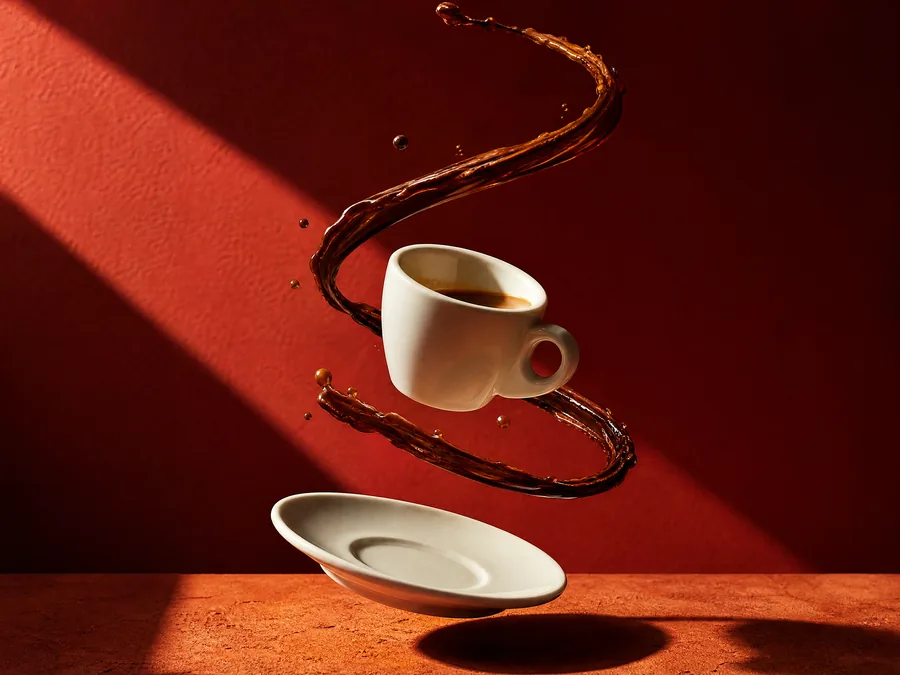
Compose a product image that holds attention
Shape a product concept with a clear subject, light, and room for copy. Then crop and export.
Start the guide
Before you begin
Describe the product shape, material, and purpose. To guide real packaging details, prepare a clear product photo for a model that accepts references.
A wide concept image with a clear focal point, plus a cropped delivery file. Check real packaging text character by character.
- 01
Choose one focal point
Start with one product: its silhouette, material, and placement. Avoid several competing props. A reference supplies guidance; still inspect the generated shape.
CHECK THISChoose an image modelThe product remains recognizable in a small preview.
- 02
Separate the subject with light
Use the example prompt with one clear side-backlight. Upload your own packaging reference in the image workspace if needed, then review the estimated credits before generating.
CHECK THISOpen image workspaceEdges remain clear and highlights do not erase the material.
- 03
Leave space for the headline
Download the result from its detail view or send it to the local crop tool. Preserve the cap, base, and one quiet side when fitting the delivery ratio. Do not stretch the image.
CHECK THISOpen crop toolThe crop does not cut through important product details.
- 04
Deliver the right size and format
Resize with the aspect ratio locked, then choose an output format. PNG preserves transparency; JPEG flattens it onto white. Compare fine detail after compression.
CHECK THISSet delivery dimensionsCheck pixel dimensions, actual file size, and transparency.
What to check and change
The background dominates
Remove half the props, simplify the background texture, and keep one light direction and one subject position.
Packaging text or shape changes
Use a clear reference and name the details to retain. Review every detail before real advertising use; generation is not a substitute for product accuracy checks.